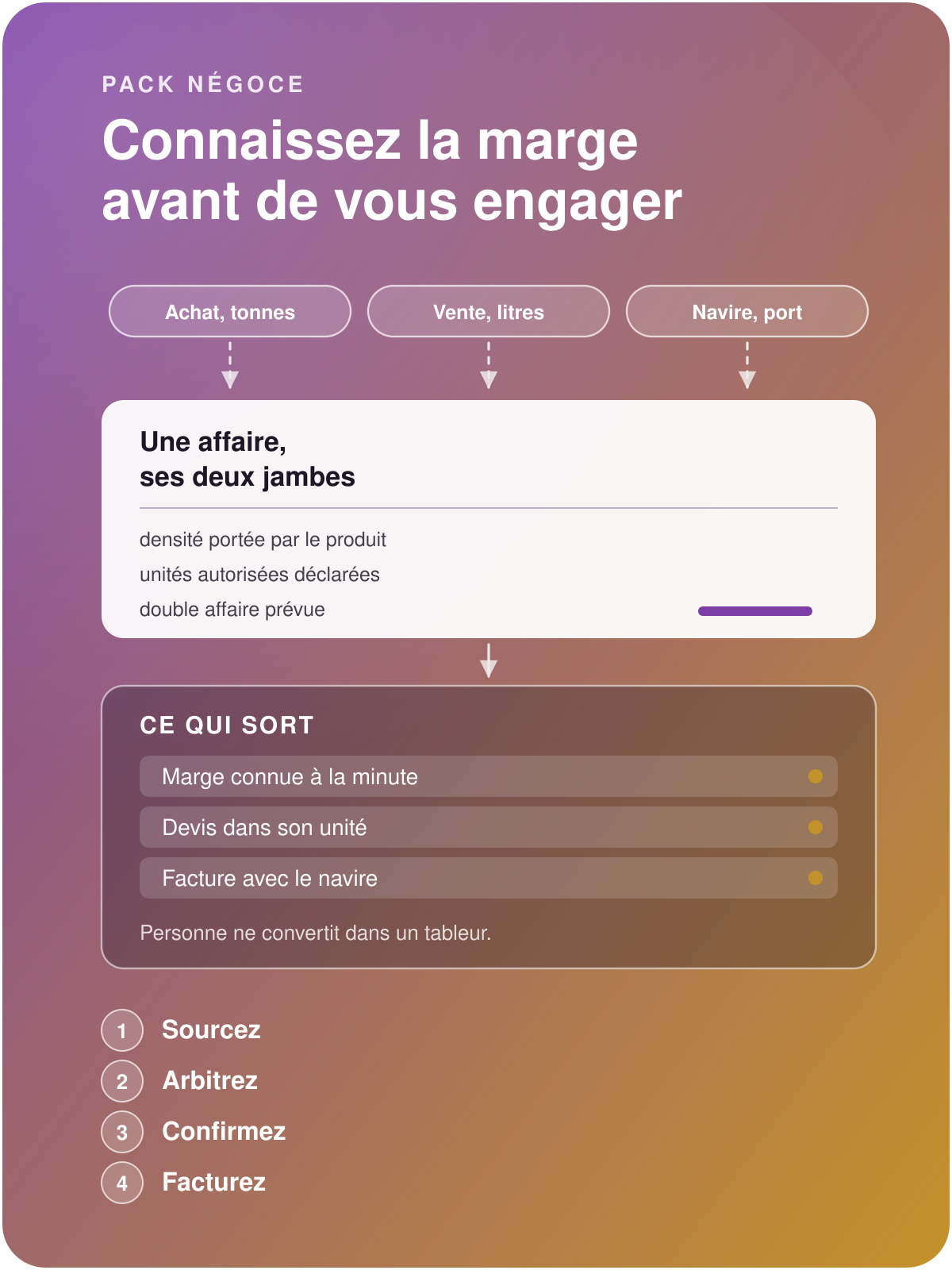

International Trading pack
Know your margin
before you commit
A cargo is bought and resold within hours, in different units from one end to the other. The Trading pack brings the purchase and the resale together in the same file, reconciles the quantities through the product's density, calculates the margin as you negotiate, and carries the vessel, the port and the voyage from quotation to invoice.
Know your margin as soon as you commit
Without the Trading pack
Odoo's unit conversion multiplies factors and ignores density: "how many litres in a tonne?" remains a question for the spreadsheet. Bought by the tonne, sold by the litre, quoted in gallons, the conversion gap shows up at invoicing, when it is too late to pass it on.
The margin remains an estimate. The purchase lives in one order, the sale in another, and the reconciliation is done from memory. The result of the deal appears at month-end closing, once any decision has become impossible.
Documents leave incomplete. Vessel, port of loading, bill of lading number: these details sleep in e-mails, are missing from the quotation, then from the invoice, and the forwarder calls back to get them.
With the Trading pack
You enter each party in its own unit, and the density carried by the product does the reconciliation.
The margin of the deal can be read while you discuss the price: purchase and resale belong to the same file, and every adjustment recalculates it.
The vessel, the port and the voyage are entered only once and travel with the quotation, the order, the delivery note and the invoice: your documents leave complete from the first issue.
Win the deal, drop the conversion spreadsheet

Let the pack convert
Quantities match from one end of the deal to the other, density included. You enter in each party's unit, the pack reconciles, and stock moves stay consistent with the orders.

Read the margin during the negotiation
The purchase and the sale belong to the same deal. Your result appears while you discuss the price, and every adjustment recalculates it: you decide on a figure.

Issue complete documents the first time
Vessel, port and voyage travel with every document, from the quotation to the invoice via the delivery note. The forwarder, the customs agent and the customer receive from the outset the details they ask for.
The deal

Hold both legs on a single screen, decide before you commit
The purchase is negotiated by the kilo, the sale by the litre, and the deal's margin shows by itself. The file gathers the customer need, the supplier offer and the shipping details, then feeds all the documents that follow.
Deal type: the double deal, same cargo and two counterparties, is a planned case.
Ordered quantity and delivered quantity, each in its own unit.
The quotation, the order and the invoice inherit the file and its details.
Operations team alert: when a deal is created, a summary goes out by e-mail (reference, delivery date, port, vessel, product and quantity), as soon as a recipient is designated.
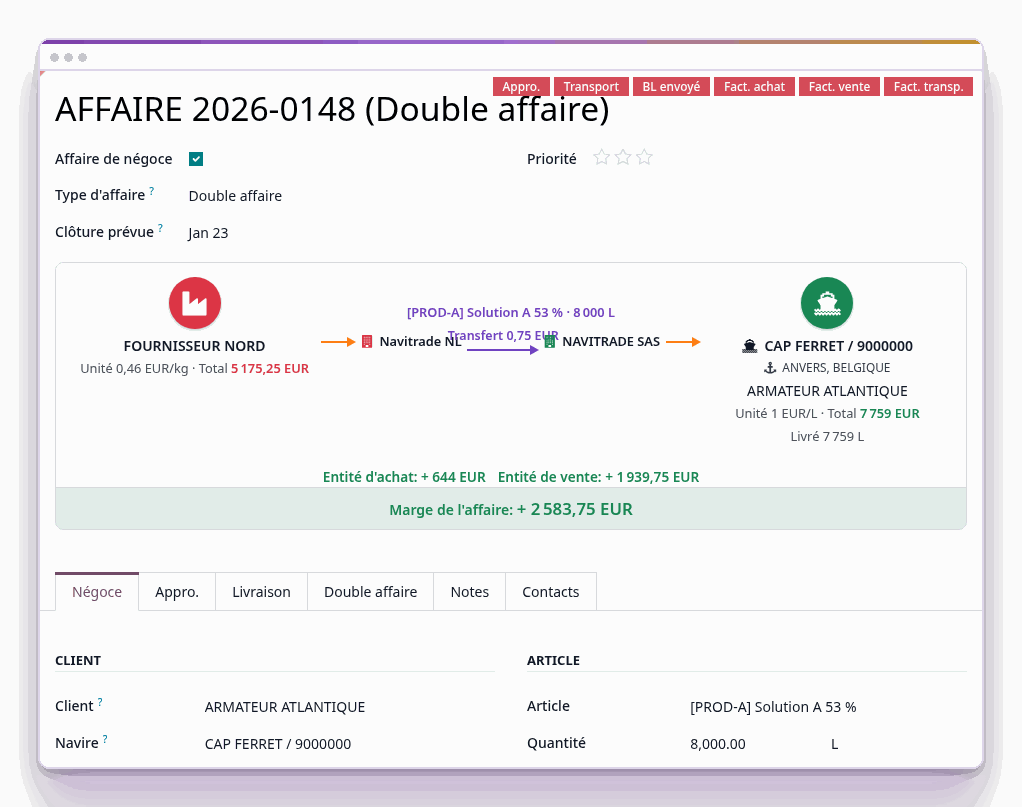
Screenshot of the product in service, anonymised: company, vessel, port and product names replaced before the capture.
A typical day

Follow the deal from sourcing to invoice, keep the trace of every step
Four moments, and a single file that holds them all.
You source: the customer need and the supplier offer enter the same deal, each in its own unit.
You arbitrate: the margin is calculated as you go, and you know before committing whether the deal is worth closing.
You confirm: quotation and purchase order come out of the file, shipping details filled in.
You invoice: the invoice takes up what was delivered, in the unit of the contract.
The exclusive features of the Trading pack

Buy by the tonne, sell by the litre
The Trading pack takes care of the conversion and bases it on a product datum: its density, with its source.
Purchase and sale in different units.
Density carried by the product, with its source.
Allowed units for purchase and sale, declared on the product.
Stock moves stay consistent with the orders, and the closing needs no adjustment entry.
Decide on a figure
The purchase and the sale belong to the same deal: the margin exists as soon as you commit, and it is recalculated at every adjustment of price or quantity.
Both legs of the deal brought together on a single screen.
The double deal, same cargo and two counterparties, handled as an ordinary case.
The quotation, the order and the invoice inherit the file.
Broker, rate and commission: entered and traced from quotation to invoice. The amount is entered, since the basis depends on your agreement.

Carry the vessel through to the invoice
Vessel, port and voyage travel with every document, from the quotation to the invoice via the delivery note, and the transport parties are qualified on their contact record.
Entered once, carried onto every document.
Partner roles: broker, carrier and customs agent are qualified as such on the contact.
Documents leave complete from the first issue.
The cross-check with the forwarder fits on a single screen.
Vessel created from its IMO number: you enter the IMO, the vessel record fills itself from the public register.
Deal map: each operation is placed at its delivery address, or failing that at the port of destination. This view requires an Enterprise licence.

Protect the customer relationship from your operations team
A deal is handled by several hands, and each sees what falls within its role. The restriction is set on the field itself: it applies on screen as well as on export.
Customer contact details hidden, e-mail address and telephone. Those of suppliers remain readable, they are used for sourcing.
Customer messaging closed from the file: the button disappears, and the route it calls refuses the request.
The internal note stays open: that is how operations document the deal.
Broker and commission invisible for this profile.
Before setting up your first deal
Yes, that is the planned case: density is a product datum, carried with its source. Each lot can therefore carry its own.
No. The pack sits on your existing sales, purchases and stock, and your orders in progress remain intact. The history of your deals can be migrated with Universal Data Tool if you wish.
Tell us about it. Either the pack already covers it, or we tell you what it requires, in cost as in time, before any quotation.
With a 30-day trial on an instance set up in a few minutes. Your deal history enters it without re-keying, with Universal Data Tool.