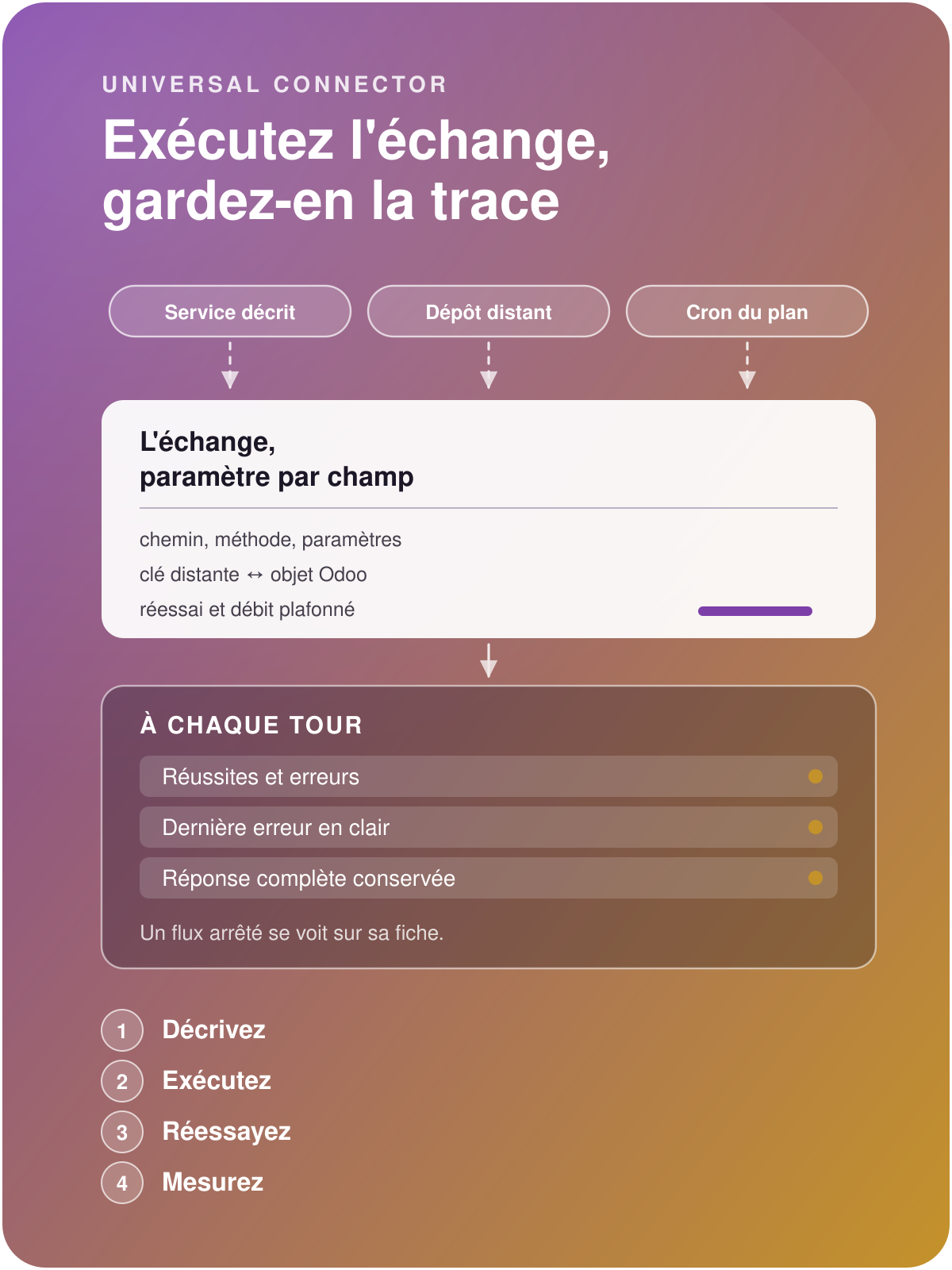

Universal Connector
Connect Odoo,
orchestrate your exchanges without development
Define inbound or outbound connections, link external resources to objects in Odoo, create read, write or update actions, then automate, scale up and keep a history of the tasks.
A single tool to connect your Odoo for the benefit of your business
Without Universal Connector
Each exchange flow is a custom development, costly to build and to maintain over time.
You create a technical dependency at every update of Odoo, of your connected APIs, or simply of your needs.
The heavy set-up and the high maintenance costs of connectors weigh on your budget and hold back the growth of your business.
With Universal Connector
You integrate your exchange flows with agility and drastic savings: the cost of a flow is divided by five on average, a few hours or days of configuration against weeks of set-up.
Your teams remain in full control of the governance of the exchanged flows.
Connectors become an opportunity to grow your business, by scaling up your exchanges at low cost.
Evolve your connectors yourselves, build them into your daily tasks

Use your connector every day
Give your business teams the creation of an external object in Odoo directly from the user interface, for higher productivity and optimal quality.

Modify a connector directly online
Adding a filter, a resource, an action, or a column in a mapping : this remains configuration within your reach, not development.

Automate Universal Connector's actions
Take advantage of Universal Connector's innovative design, fully integrated with your native Odoo, to use it in server actions or automated actions.

Describe the resources and the actions
One service, one connector. It gathers the resources you look up there and the actions you trigger there, and it knows which way to go: an API described by Universal API, a file system, an exchange flow.
The connector adapts to the different types of flow.
A periodic synchronisation is scheduled on the connector.
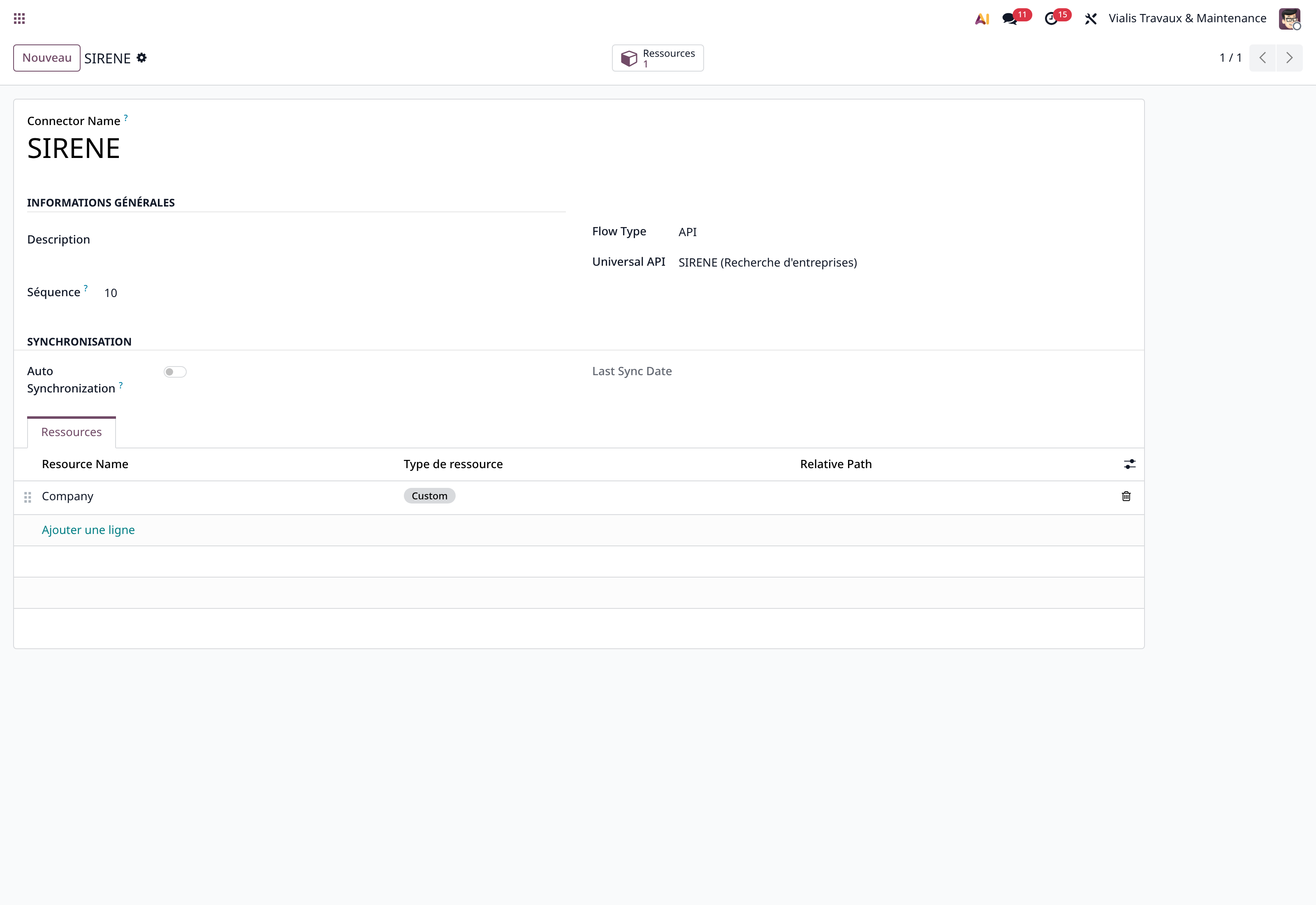
The connector to the SIRENE API of data.gouv.fr
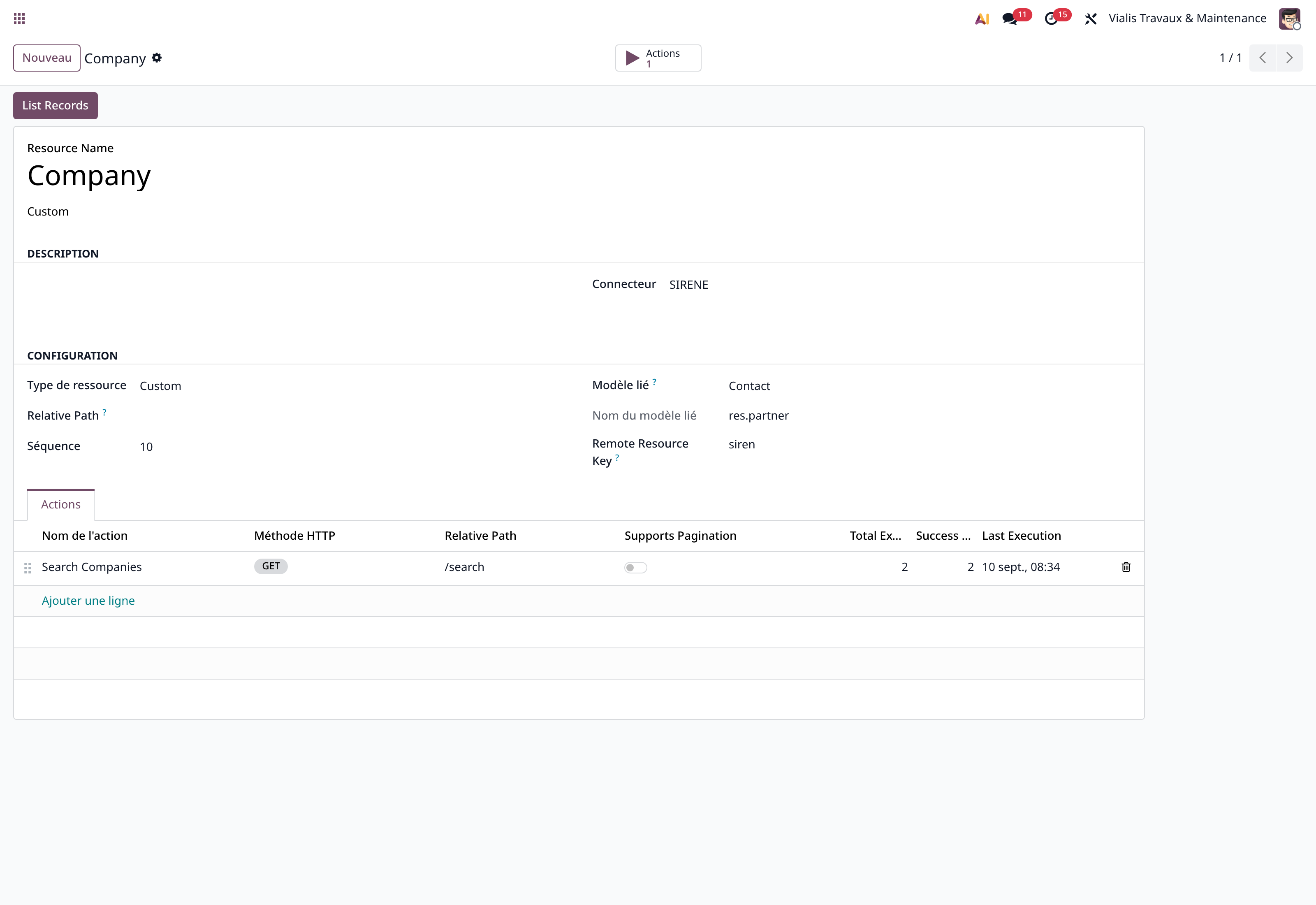
The "Company" resource, linked to contacts.

Benefit from the integrity of your exchanged data
Each resource of the external service is associated with an Odoo object model, and the mapping table between the two is defined by Universal Data Tool. The link between external resource and Odoo object guarantees uniqueness and allows updates.
The linked model is chosen from the list of Odoo objects.
Mapping table: each remote key keeps the Odoo identifier opposite it; on re-run, the known record is found rather than recreated.

Read what is sent, change it without a release
Relative path, method, and the list of parameters with their location, their type, whether they are mandatory and their default value. You read what is sent without opening any code.
Each parameter carries its description, its type and its default value.
Priority and scheduled date: an urgent exchange goes first, a heavy exchange waits for its time.
Execution is triggered by a button.
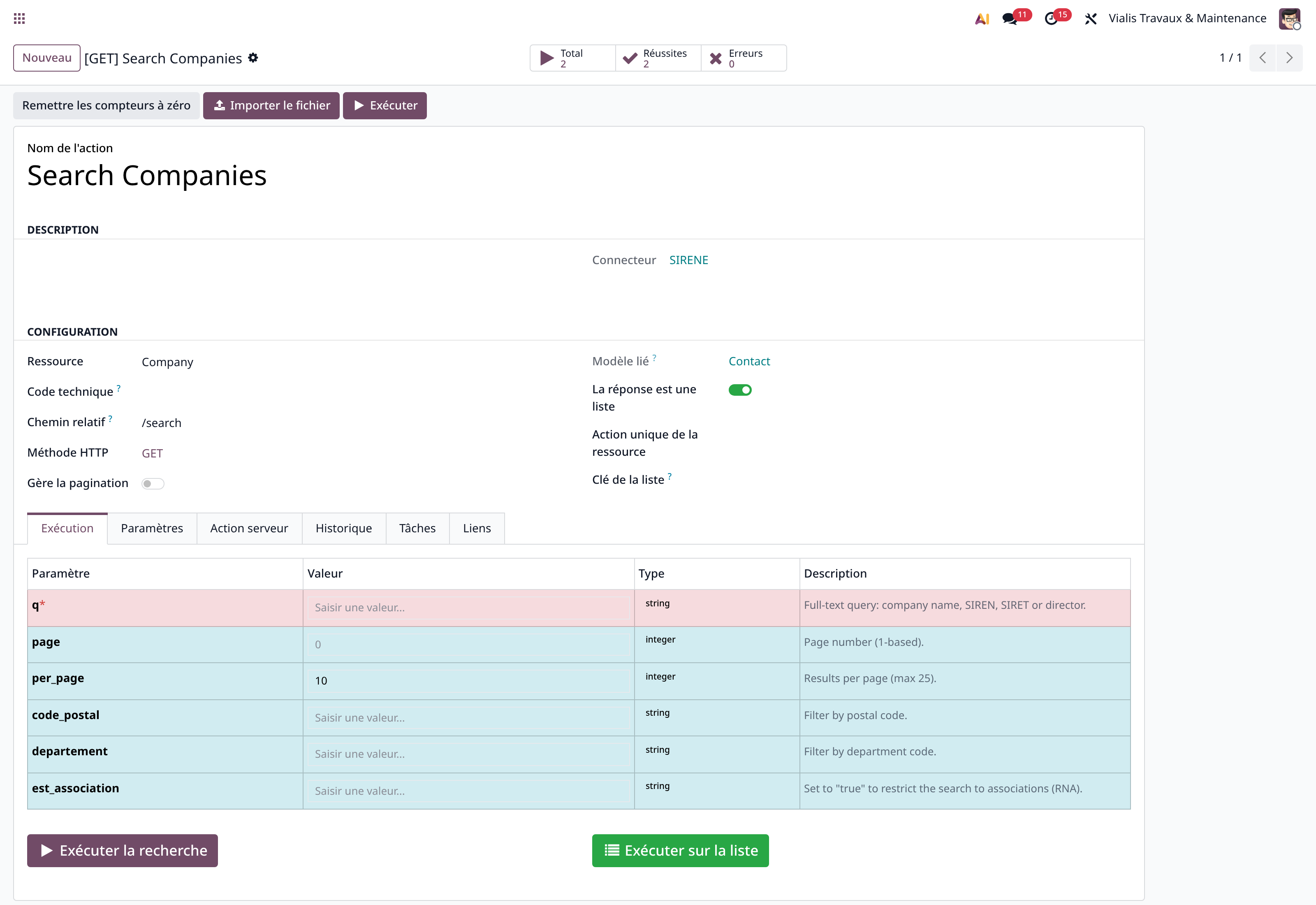
The "Search Companies" call and its six parameters.
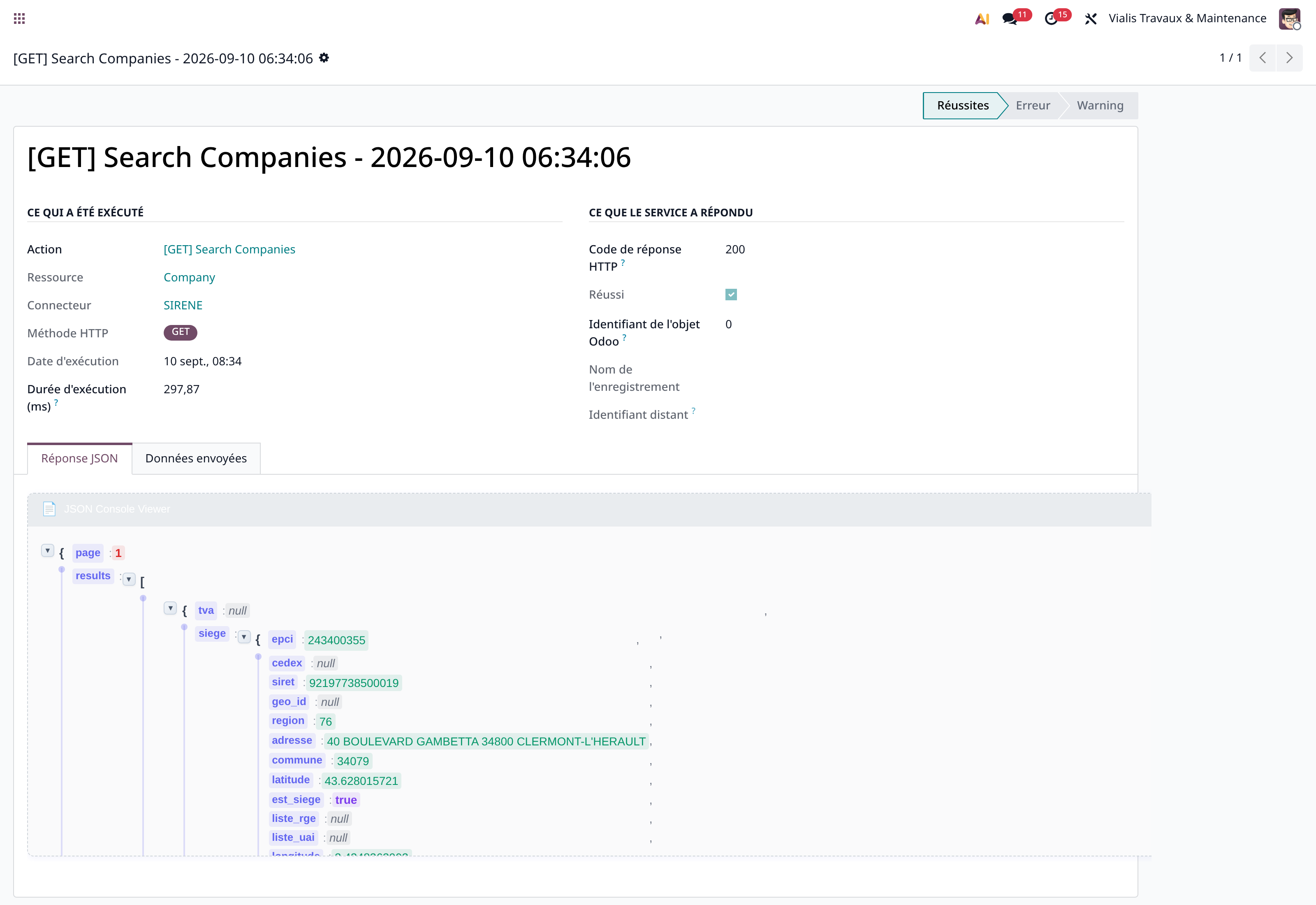
A real call: HTTP 200 in 297 ms.

Measure every execution, re-run what failed
Every execution leaves its trace: the HTTP code, the duration in milliseconds, the data sent and the full response, expandable in a JSON inspection console. The demonstration call answers in 297 ms.
Failures are kept just like successes.
Automatic retry: a failure restarts on its own, as many times as you allow, after the delay you set.
Counters at the top of the record: total, successes, errors, success rate and date of the last error, kept in plain text.
The most frequent connectors

Bring in a history without duplicating it
The deals lived in an online tracking tool, the management in Odoo. The operations are taken over, matched by their reference, and the missing contacts created.
Matching is done by reference, not by name.
The operation is re-run as many times as needed, and what already exists is found again.

Let the flow run, and know that it runs
An action can be triggered by a scheduled task. What matters then is to know that it runs, and to see it when it stops.
Synchronisation plan: it creates and drives its own scheduled task, at the interval you choose.
Stuck task recovered: an exchange left in progress after an incident is restored, not lost.
Ready-to-use datasets: the company register, Monday, Scaleway and the public ship register come already described.
In the other direction too: what is sent is described, traced, and filed according to whether it was accepted or not. A claim can be checked months later.

Go through a repository when there is no API
Many exchanges still go through deposited files. The connector can also read and write on a remote file system.
SFTP, S3 or local repository: the remote repository is described as a service, whatever its protocol.
EDI flows: structured documents (orders, invoices, dispatch advices) have their own flow definition.
The file format is described separately, with Universal Data Tool.
Before setting up a connector
No. Each connector is configured individually: path, method, parameters. A development remains possible for a particular case, but it is no longer the starting point.
The connector can also go through a remote file system or an EDI exchange flow.
Proven, and widely, at customers in production: data migrations, regular file exchanges, API calls.