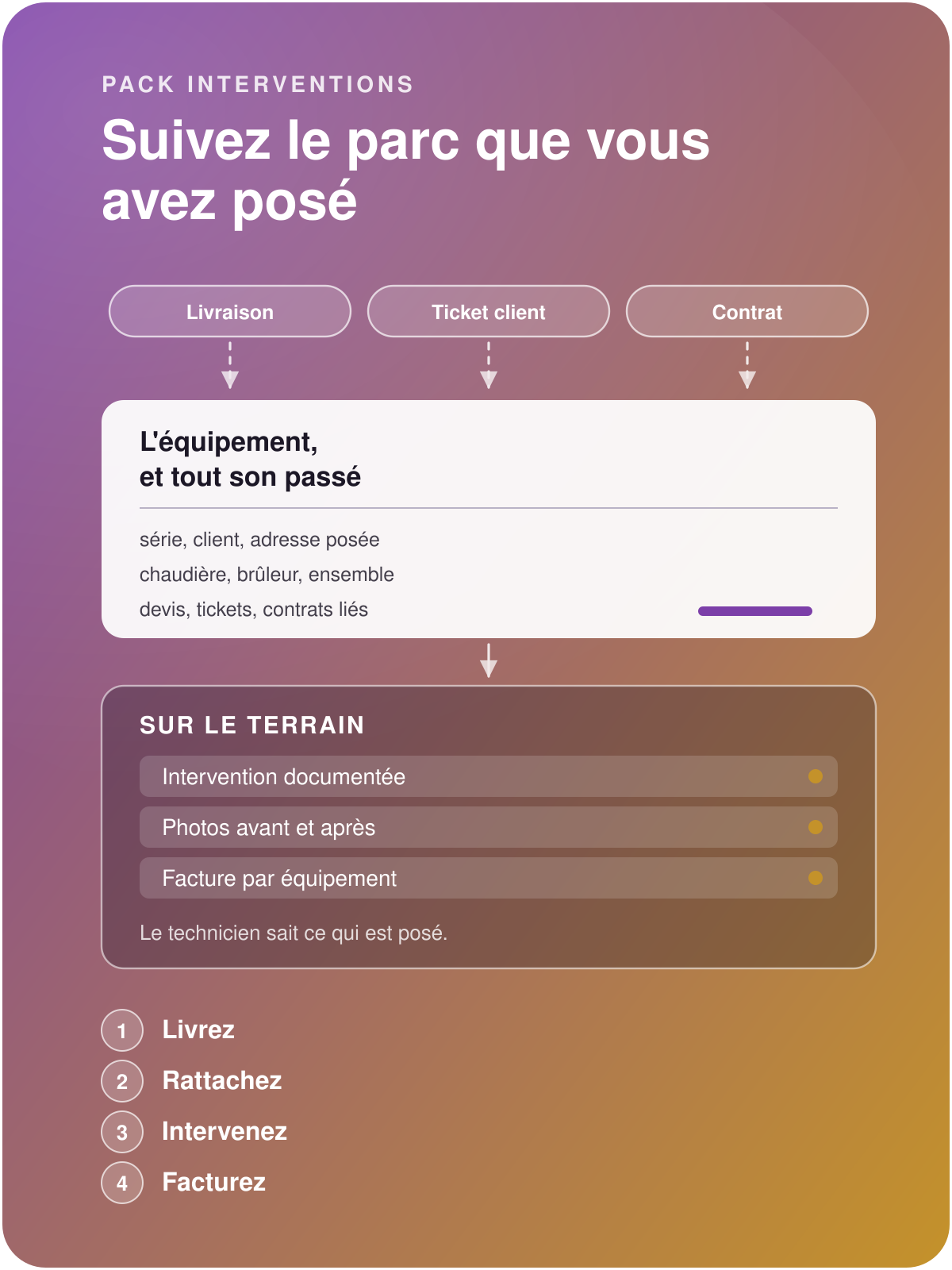
Deliver, link, intervene, invoice
The same equipment from one end of the relationship to the other.
Discover
Service Calls & Equipment pack
Put your installed base at the heart of your business
Manage your equipment by serial number and by installation address, then link it to your whole activity: quotations, delivery notes, maintenance contracts, invoices, breakdown requests, service calls, reports.
Manage all your on-site photographs by equipment and by service call, and automate the content of your reports and their sending.
Find the equipment before the call ends
Without the Service Calls pack
Odoo's Maintenance app ignores deliveries: a shipped piece of equipment exists in the installed base the day someone re-keys it by hand, and nobody knows what hardware is installed at the customer's.
The technician leaves for the call and discovers what is there on site
The history scatters across e-mails and paper reports, and is pieced together again at every call.
The invoice arrives before the customer knows what was done, and what their contract already covered.
With the Service Calls pack
The equipment is created when the delivery is validated, with its serial number, its customer and its installation address.
The technician opens the service call and sees everything already done on this exact hardware: quotations, tickets, contracts, photographs.
Before and after photographs are taken on site and appear on the worksheet the customer signs.
Whatever falls outside the contract becomes a quotation, produced from the ticket itself, equipment already carried onto the lines.
Save the time spent searching, stop losing your installed equipment
Build the installed base as you deliver
The equipment is born from the delivery and inherits the lot's serial number, the customer and the installation address. Every piece of hardware shipped appears in the installed base.

Find the whole history
Quotations, invoices, service calls, tickets, contracts and photographs carry the same equipment. The record returns everything about it, as well as its linked equipment (parent, children)

Price the repair from the ticket
When the repair falls outside the contract, a quotation template produces the proposal in one move, with the equipment already carried onto the service lines.

Create the equipment by delivering, find it at the customer's
A piece of equipment is created as soon as the delivery is validated. The installed base builds itself, as you ship.
Triggering product: you tick the products that give rise to a piece of equipment.
A product tracked by serial number gives one piece of equipment per serial shipped, a product tracked by quantity one per unit.
Installation site: the address where the hardware is fitted, distinct from the one that receives the invoice.
The equipment category comes from the product.
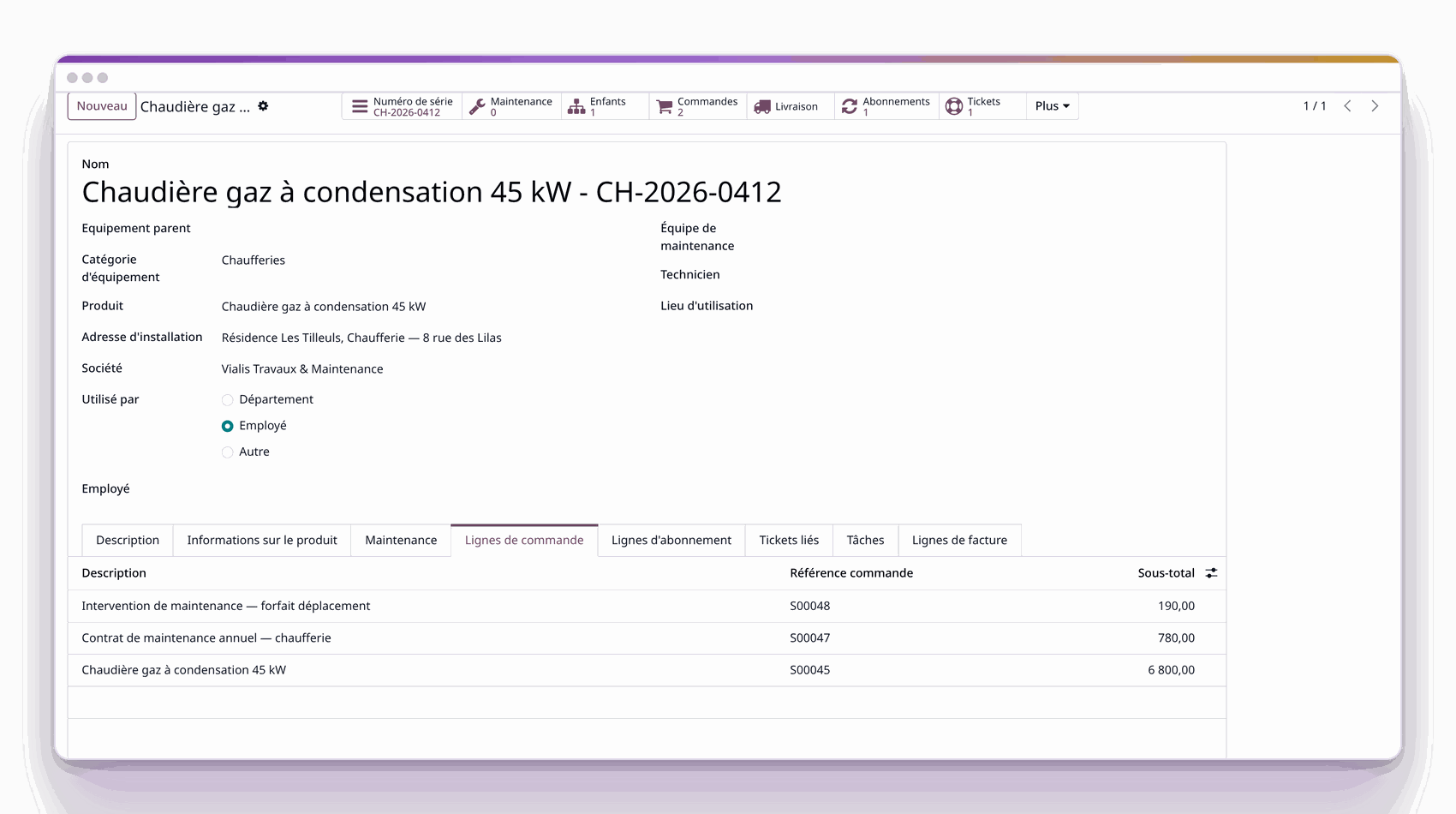
Equipment record created by the delivery: serial, customer, address.
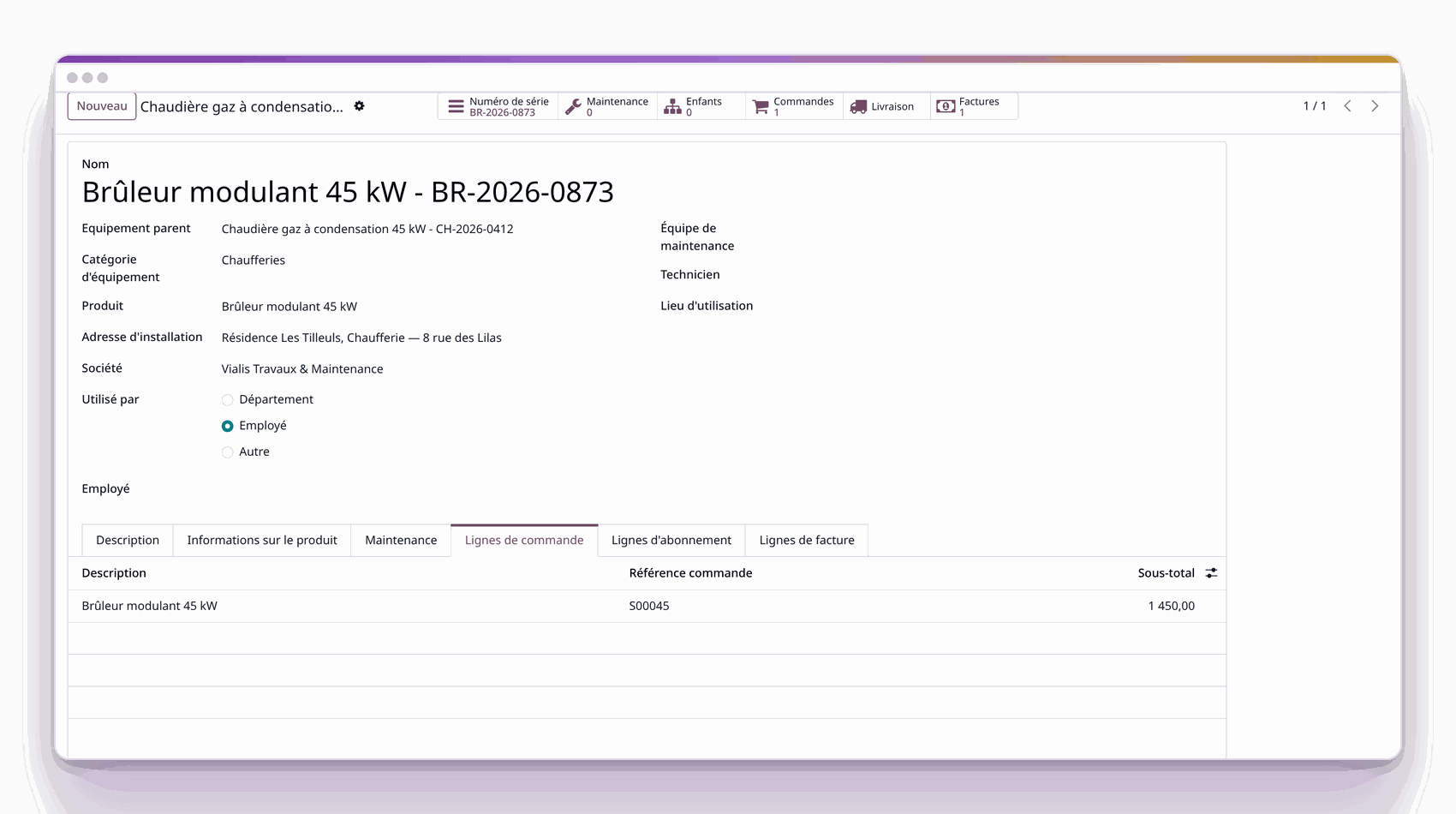
The burner attached to the boiler that carries it.

Structure the installed base as it is fitted
A burner belongs to a boiler, a boiler to a boiler room. The record carries the full path, and going up one level is enough to see the whole installation.
Full path: the record shows "boiler room / boiler / burner", and the search follows this path.
Each piece of equipment counts its sub-assemblies.

Prepare the service call, invoice it to the right equipment
The field task carries the equipment. The technician arrives knowing what is installed, what has already been replaced, and what the contract covers; the invoice keeps the same equipment.
A service quotation line creates the task, which keeps the equipment.
Seven counters on the record: quotations, tasks, tickets, contracts, invoices, sub-assemblies and photographs. Each opens the matching list, filtered on this equipment.
Back to the delivery note: the record links to the shipment that created it, serial included.
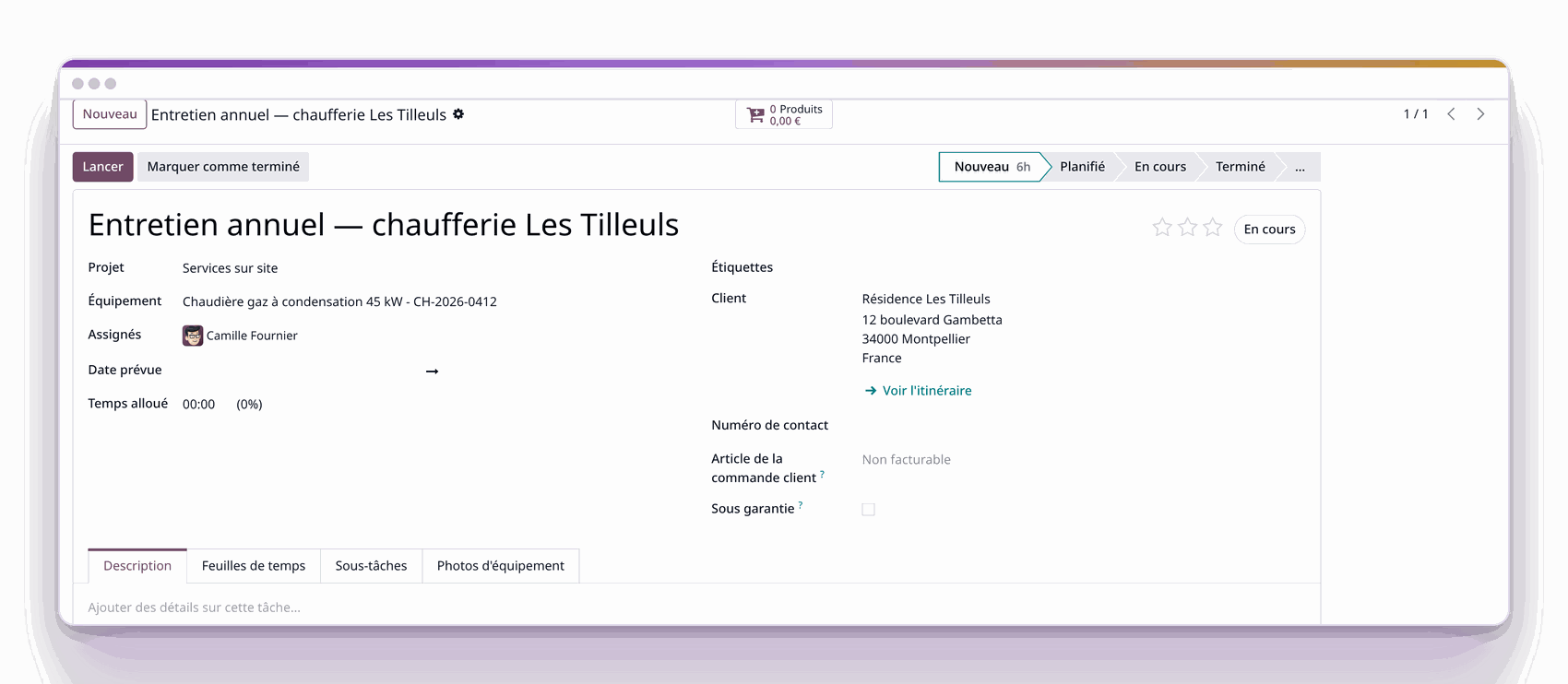
Service call linked to the customer's equipment.
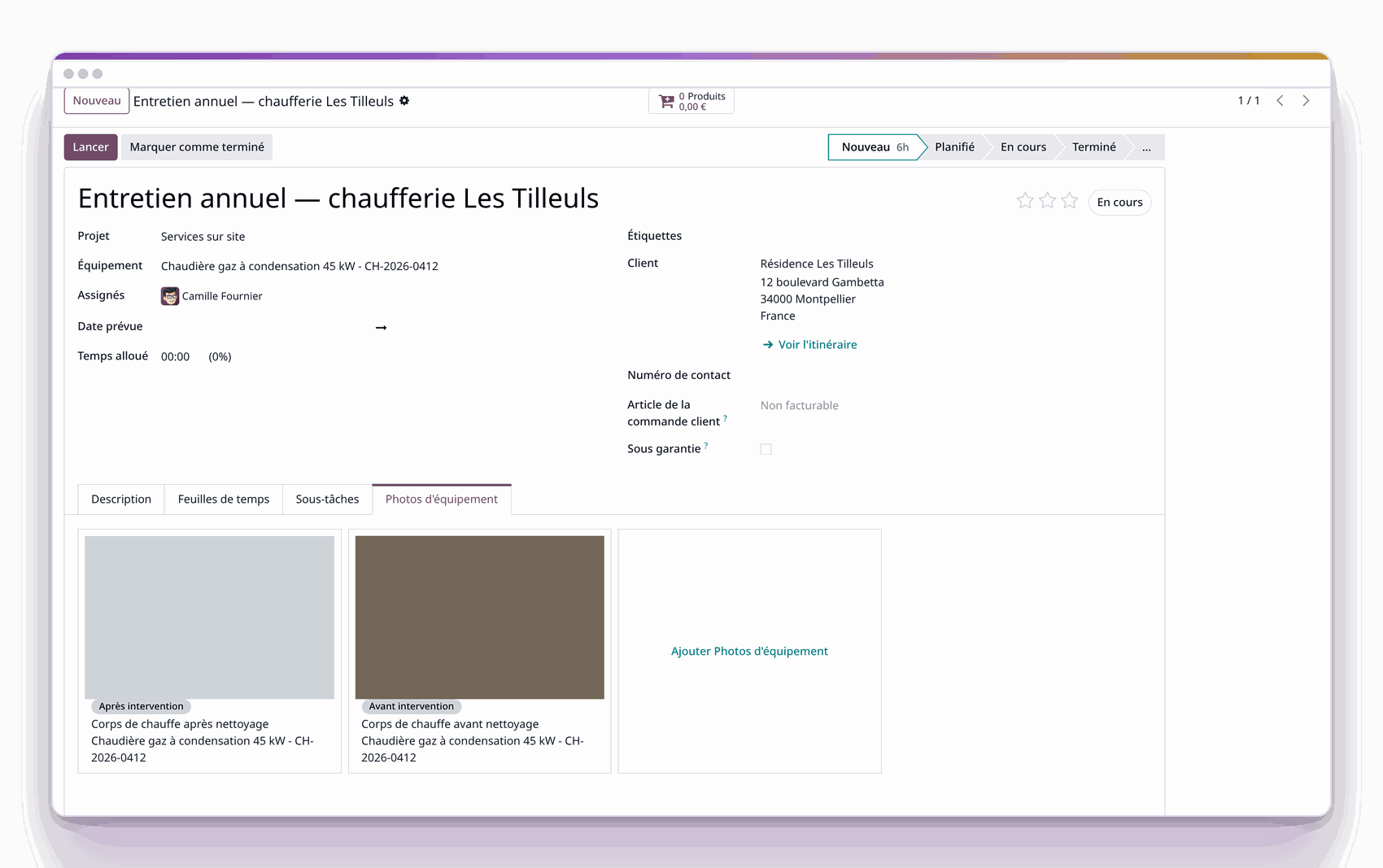
Photographs typed before and after, linked to the equipment.

Provide proof in photographs, before and after
Photographs taken on site are marked "before" or "after" and linked to the equipment. They appear on the worksheet the customer signs, and constitute the proof of the service call.
Caption and phase: each photograph says what it shows and when it was taken.
The classification is a field.
The customer receives the proof with the report.

Turn a ticket into a quotation
A support ticket carries the equipment concerned. When the repair exceeds the contract, a quotation template produces the proposal, and the equipment ends up on the service lines.
Quotation template applied to the ticket: the customer, the origin and the equipment are carried over; only the quantities remain to adjust.
The ticket counts the quotations it has produced.
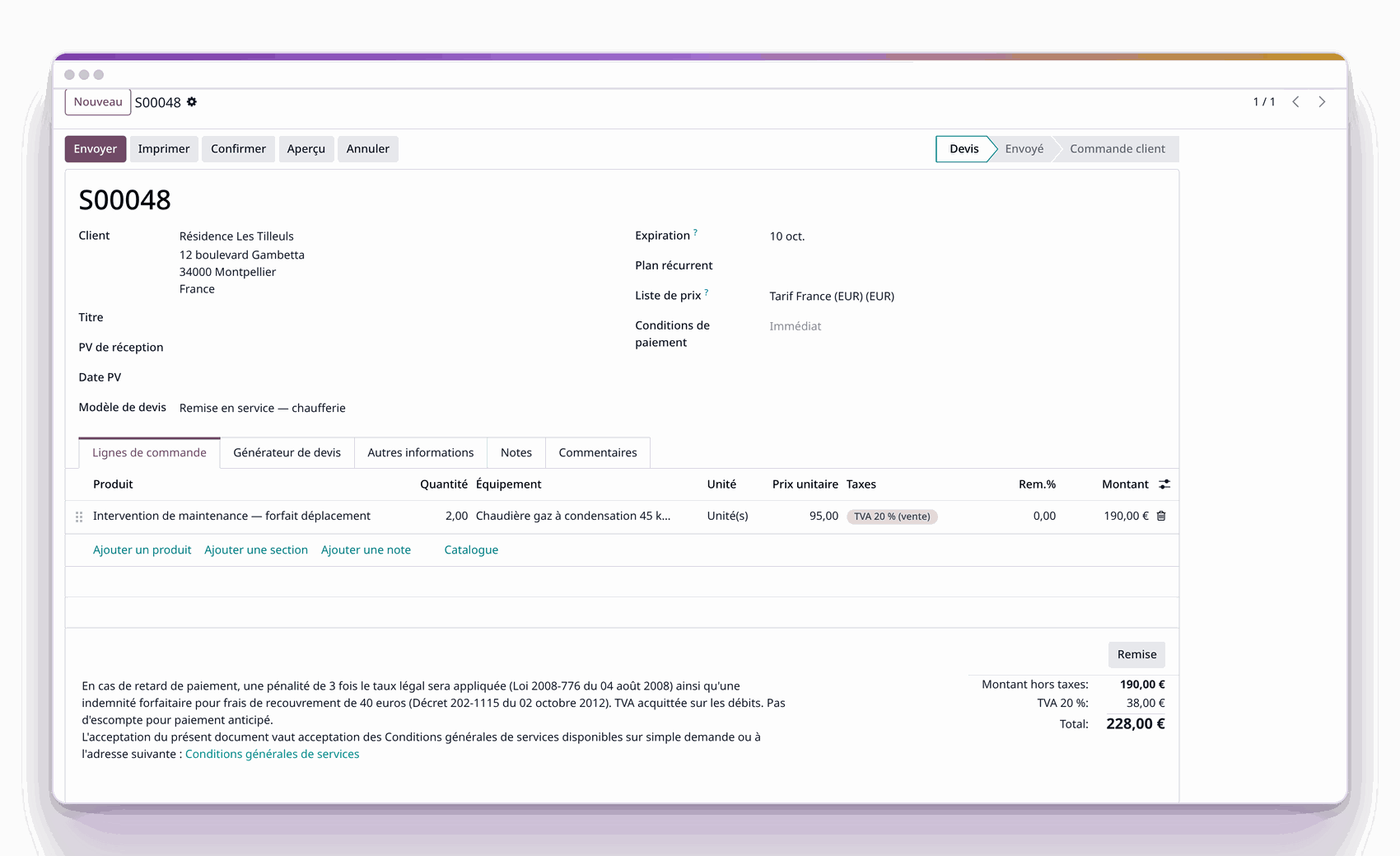
Quotation produced from a ticket, from a template.
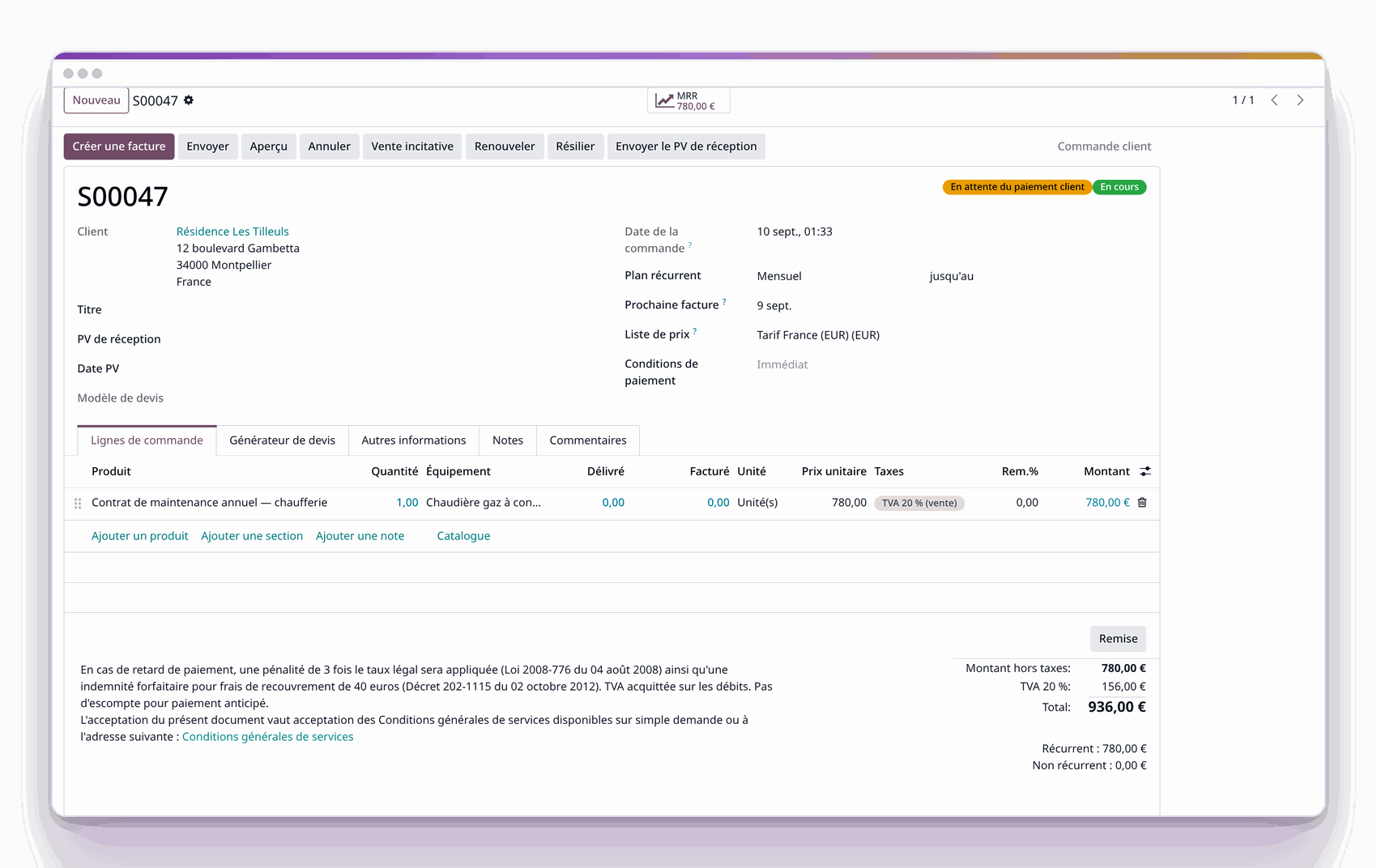
Contract line carrying the covered equipment.

Know what the contract covers, equipment by equipment
A subscription line carries the equipment under contract. The question "is it covered?" is read on the record.
Subscription line per equipment: the record links to the contracts that cover it.
A single contract carries several pieces of equipment, each on its own line and with its own period. A partial renewal therefore leaves the rest of the contract intact.
The exclusive features of the Service Calls pack

Maintain installed bases and their sub-assemblies
A boiler room carries boilers, which carry burners. Annual maintenance is planned on the whole, the breakdown is handled on the part.
Hierarchy of unlimited depth: it goes as deep as the installed base requires.
The contract covers the whole, the quotation handles the exception.
Before and after photographs document every visit.

Track every piece of equipment shipped, serial included
Every piece of hardware shipped becomes a piece of equipment when the note is validated, with its serial and its address. The installed base is up to date as deliveries go.
Installed base on the product record: you see how many machines of this model are installed, and at whose.
The serial number comes from the shipped lot.
The installation address comes from the delivery note.

Know what is covered, price the rest from the ticket
A maintenance contract carries named equipment. Whatever falls outside it is priced from the ticket, in the same file.
The equipment appears on the subscription line.
The out-of-contract ticket produces its quotation.
The invoice keeps the equipment, which makes cost tracking possible per piece of hardware.
Installed base on the customer record: everything installed at their premises, on a single screen.
Before building your installed base
For what you deliver, the equipment is created when the note is validated. The base already in place is imported with Universal Data Tool or entered only once.
One piece of equipment is created per unit delivered. The serial number is required only for products tracked by serial; in that case, the line must carry its lot to create a piece of equipment.
Yes. A piece of equipment has a parent and children, and the record shows the full path.
The foundation (installed base, hierarchy, equipment on the quotation, the task and the invoice) works with the Community edition. Planned service calls, signed worksheets and helpdesk require an Enterprise licence.
It produces a quotation from a template, with the customer, the origin and the equipment already in place on the service lines.
With a 30 day trial on an instance set up in a few minutes. An installed base that already exists is migrated with Universal Data Tool.