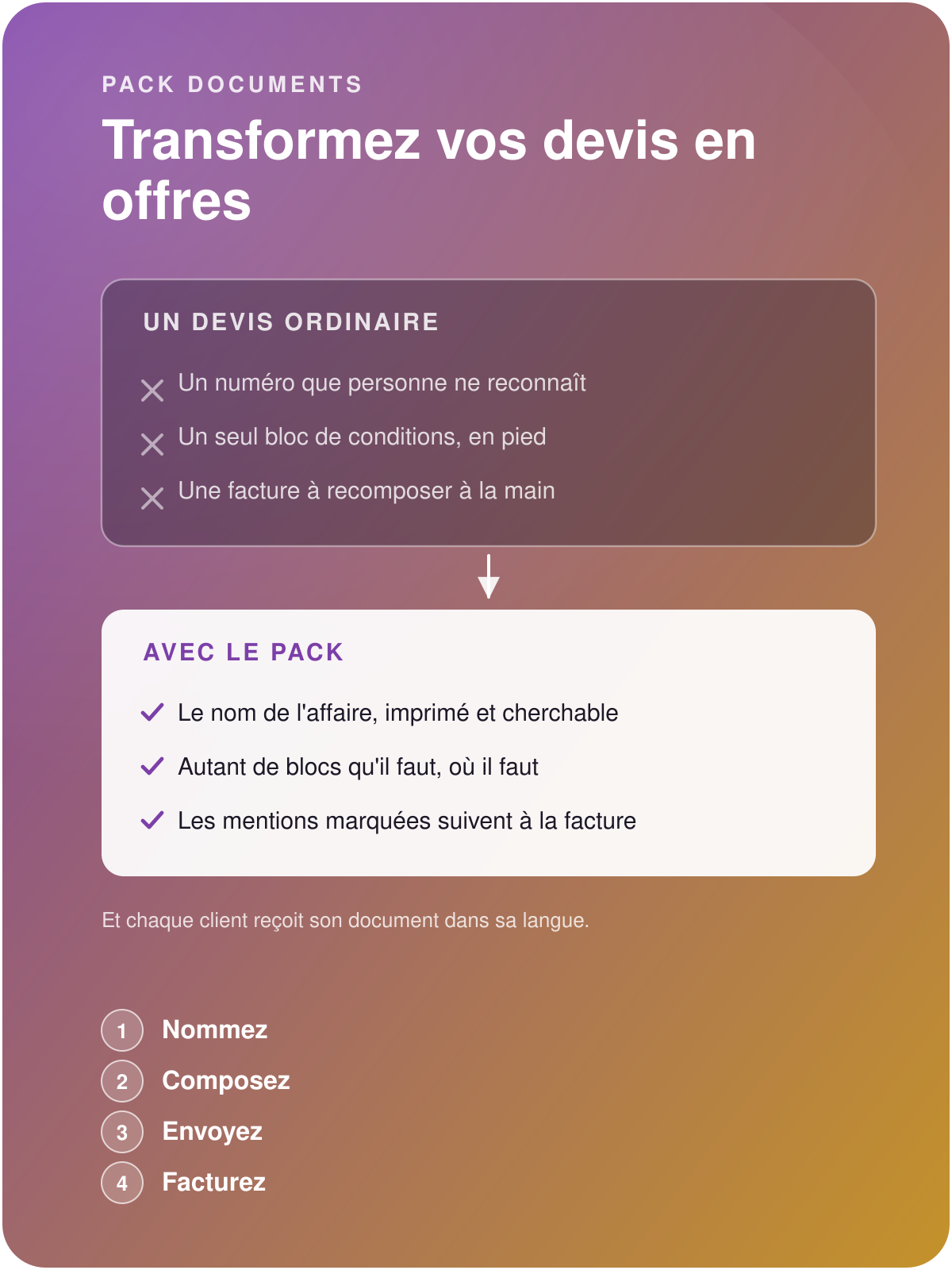

Commercial Documents pack
Turn your quotations into genuine commercial offers
Odoo provides only one block of terms, at the foot of the document. The Commercial Documents pack gives you as many as your offer needs, at the head as well as at the foot, with your images, your formatting and your languages.
Build your library of content blocks and compose your quotation templates to unify what you send. Choose which contents are copied onto the invoice.
Write a single exhaustive document and close the deal

Complete commercial offers
A title that names the deal, explanations at the exact place where the question arises, plans and photographs in the body of your offer. The customer understands what they are buying, and answers quickly and positively.

Sign, invoice, the content follows
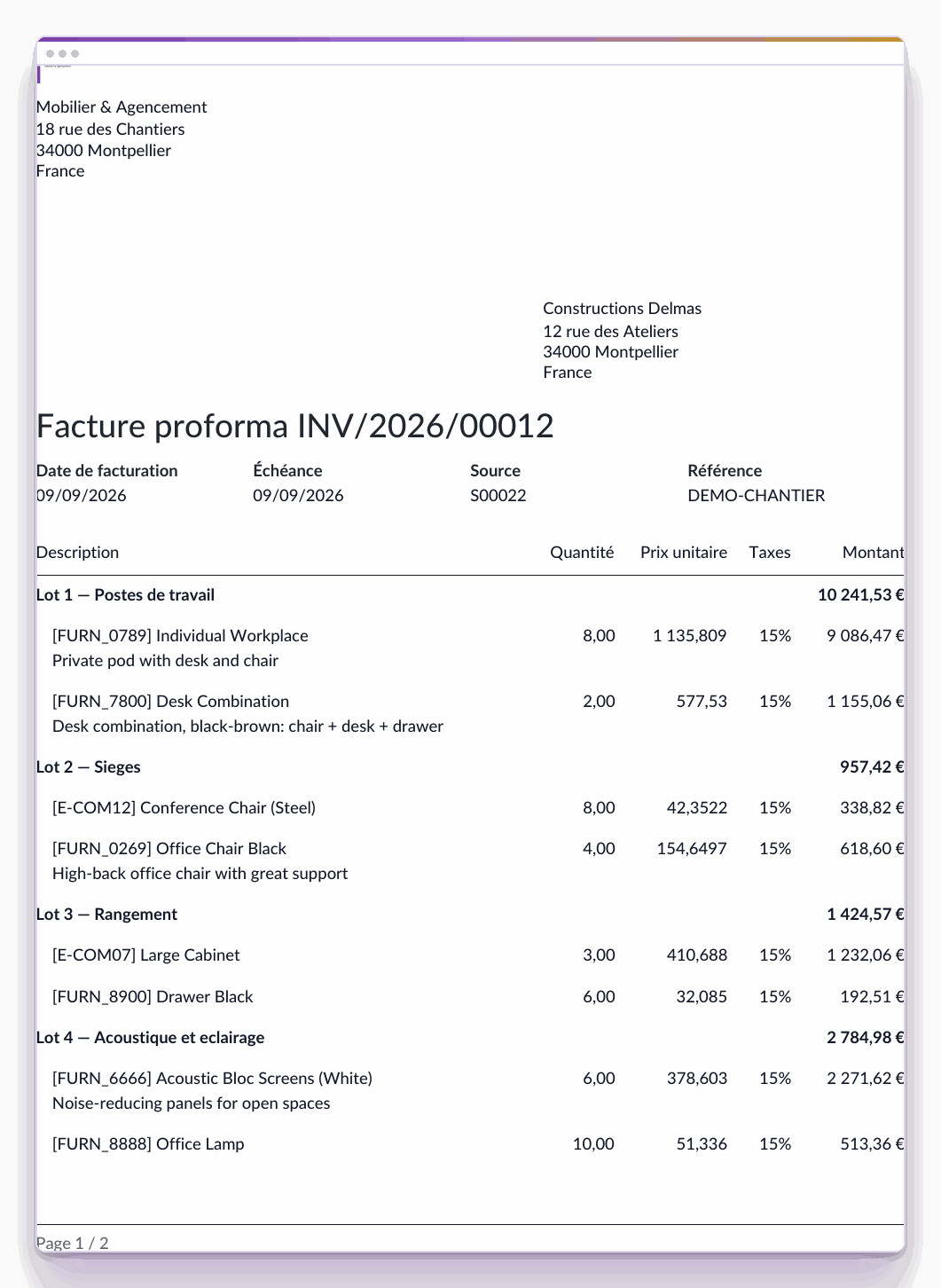
The deal title and the descriptive or contractual clauses you have designated follow the quotation through to the invoice. The invoice takes up the marked clauses, in order, without effort.

Your unified sales message
Build your commercial offer templates enriched with all their descriptive, regulatory and legal content blocks, to send higher-quality documents and free up time for your sales teams with your customers.
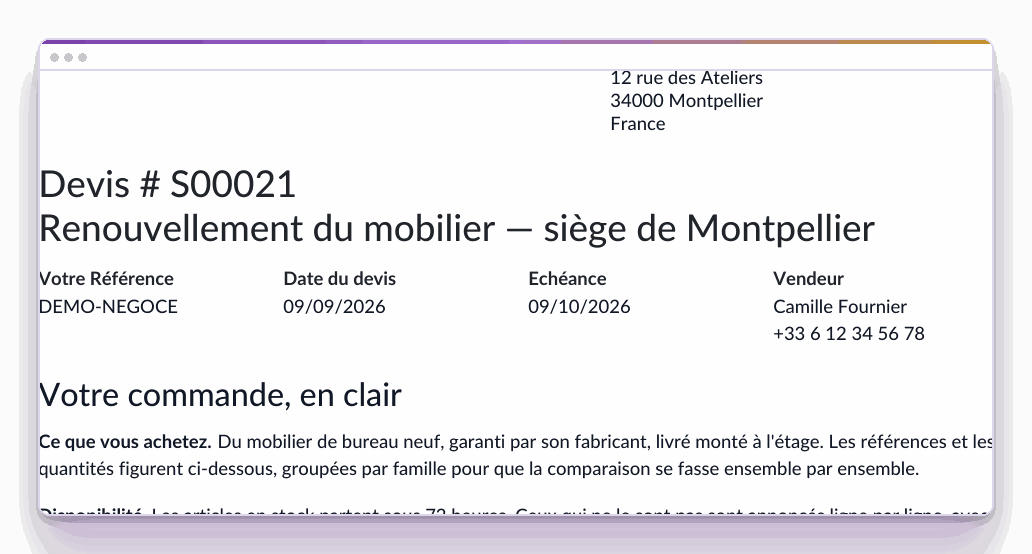
What the customer receives
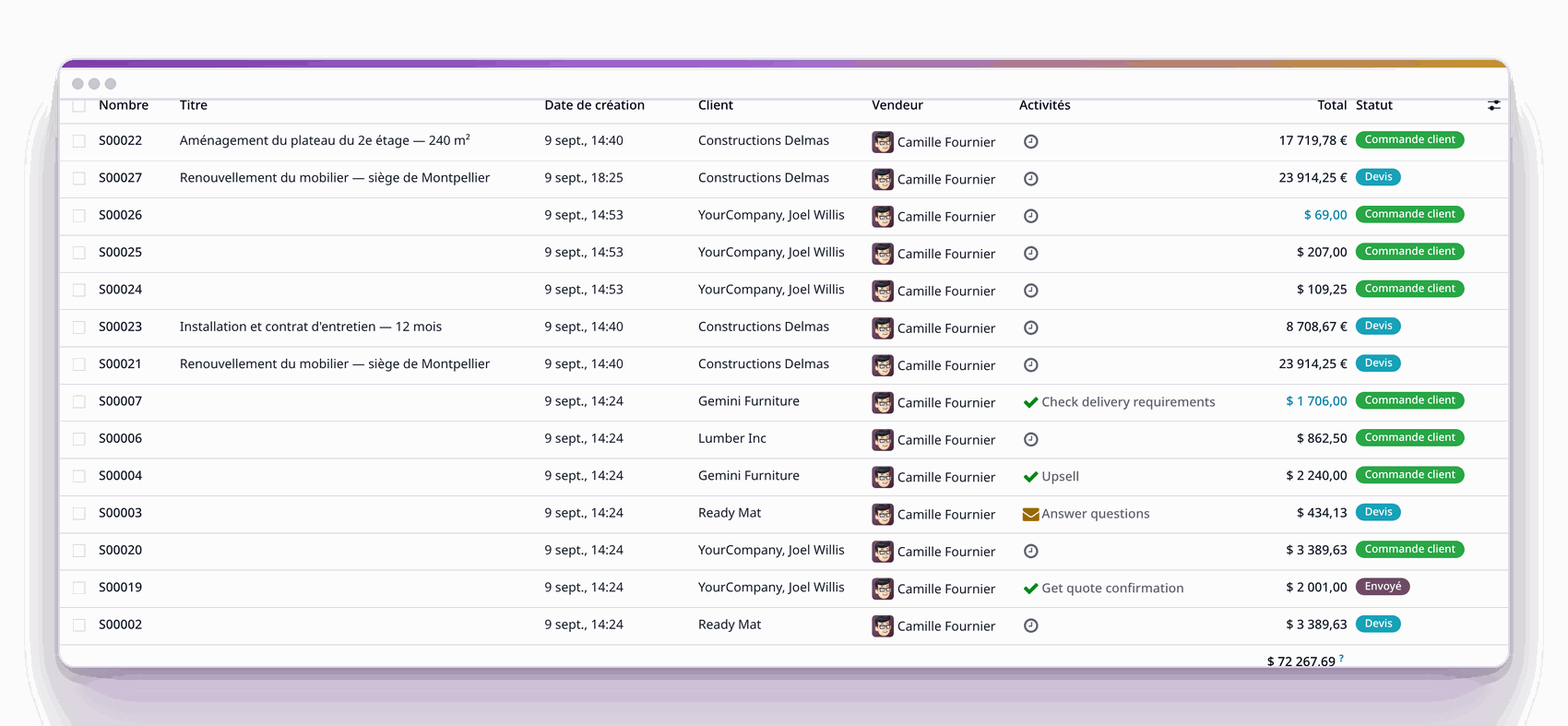
And in your lists, a Title column next to the number
Deal title

Name the deal, find it again six months later
"S00021" speaks to your system, and to it alone. The pack adds a free deal title, entered on the quotation, printed under its number, and taken up as is on the invoice as on your purchase orders.
Title column in your lists, next to the number: a deal is found by its name, six months later.
The same title on the online preview and on the PDF.
Text blocks
Write as many blocks as needed, place them where the question arises
Odoo gives you one frame for general terms, at the foot of the document. A serious offer calls for several, in different places: what is included is read before the table, the warranty is read after.
As many blocks as the offer calls for.
Position at the head or at the foot: before the table, or after.
Order with the mouse, by a simple handle.
On the quotation, on the invoice, and on your purchase orders.
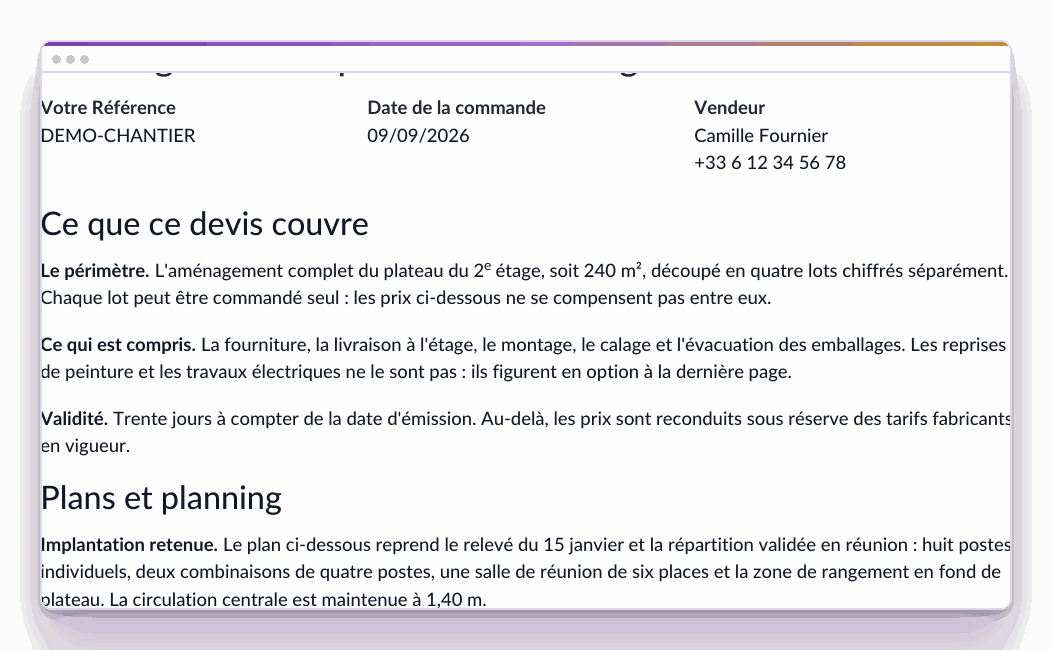
What the customer receives
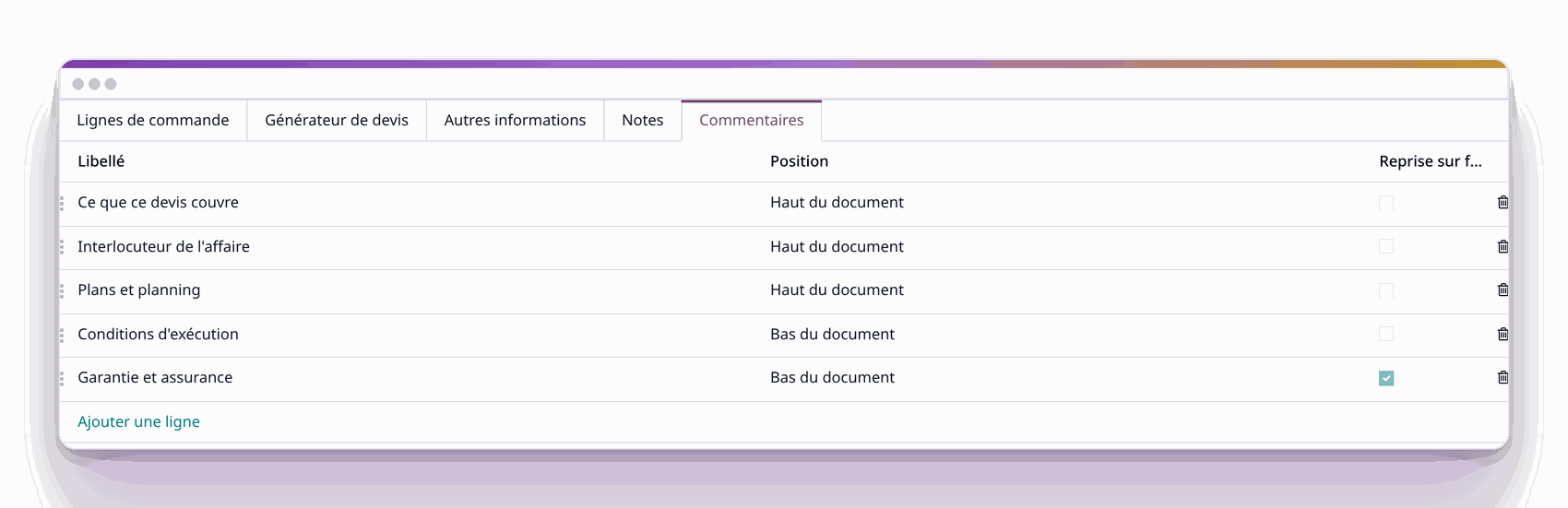
The tab where they are written: position, order, carried onto the invoice
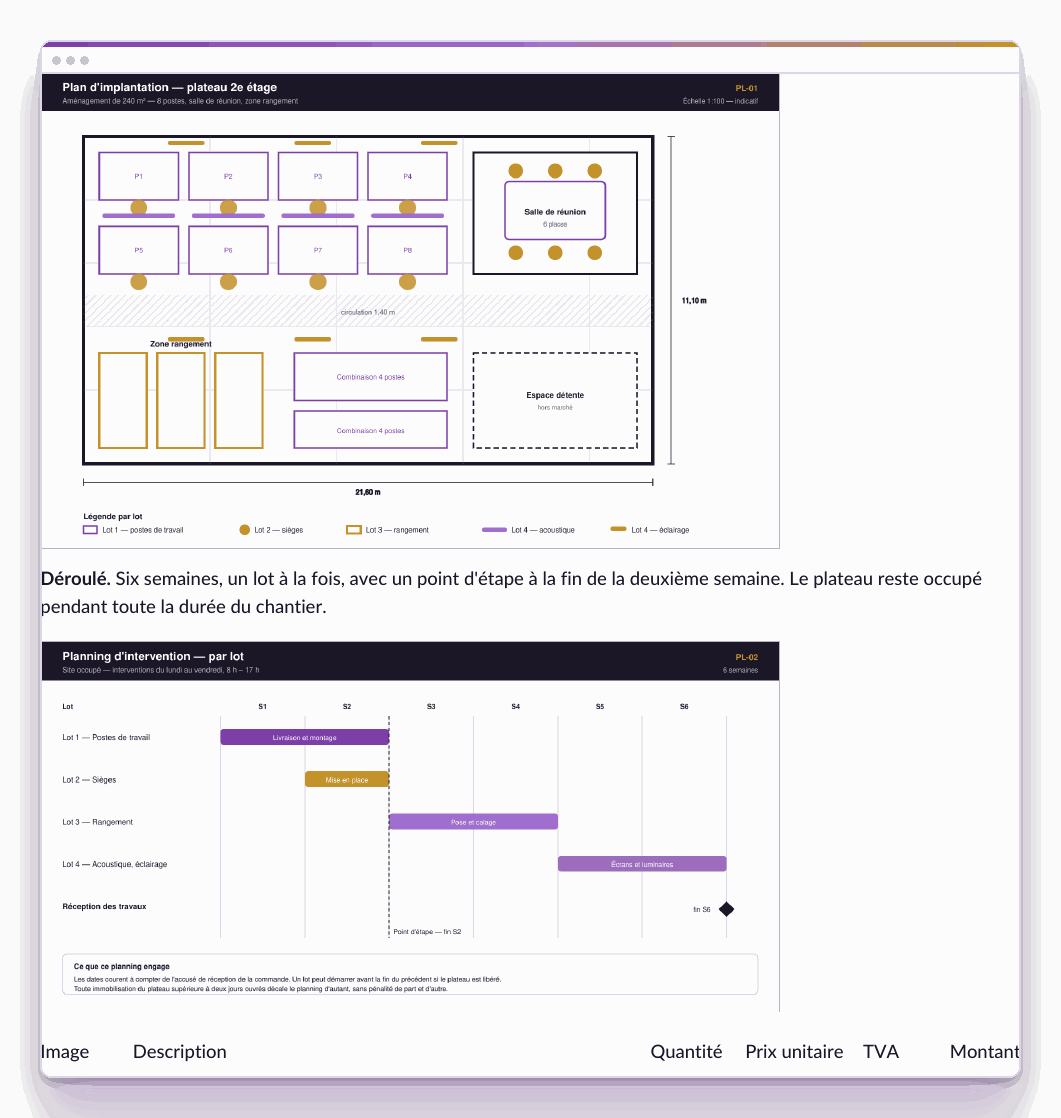
What the customer receives
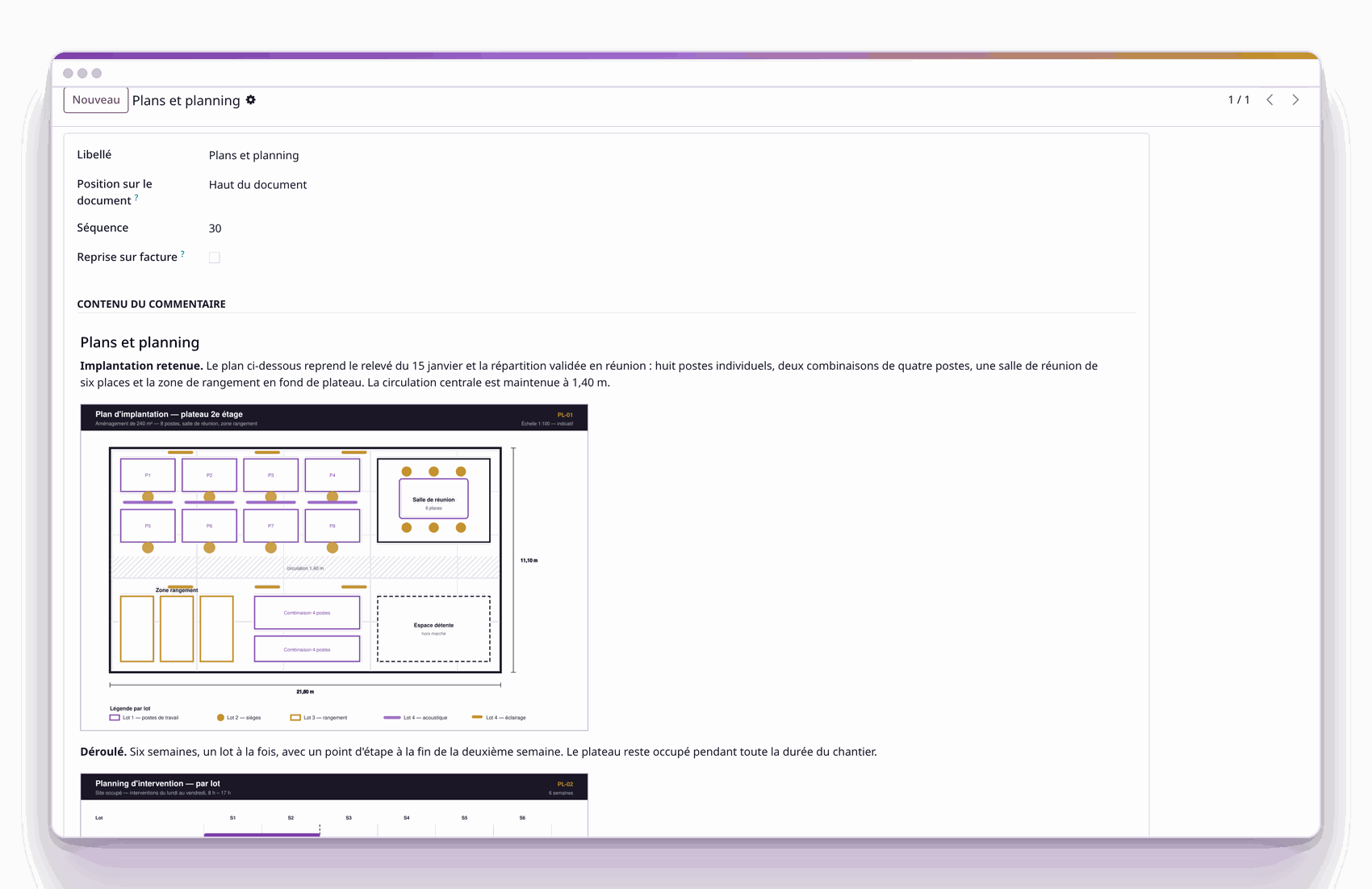
The editor: headings, text and images in the same block
Formatting

Show, as well as list
Each block is written in a full editor: headings, lists, bold, links, tables, and above all images. A layout plan, a schedule, a site photograph, an assembly diagram take their place in the body of the quotation, where the customer asks the question.
Product visuals: they accompany their lines in the table.
Salesperson in charge: their name and telephone are printed where the customer looks for them.
Content library

Replicate your contents on every deal
Your blocks live in a content library. Attached to a quotation template, they are placed as soon as the salesperson chooses the template, and they write what is specific to the deal.
Variable elements: the customer name, the reference or the salesperson in charge are filled in at printing.
Conditional block: a clause is printed when the situation requires it, and the same mechanism attaches to any Odoo document.
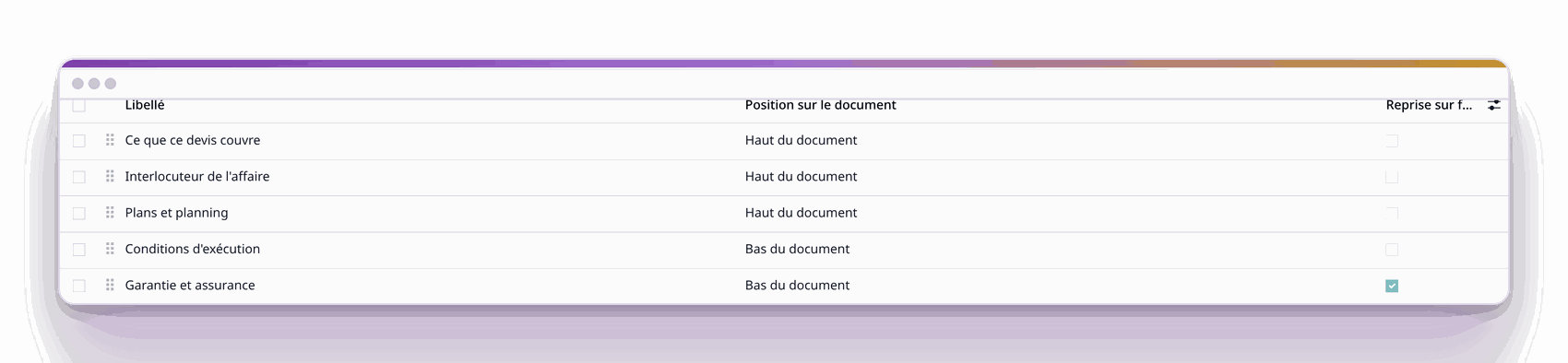
The library, kept by your managers.
What the customer receives
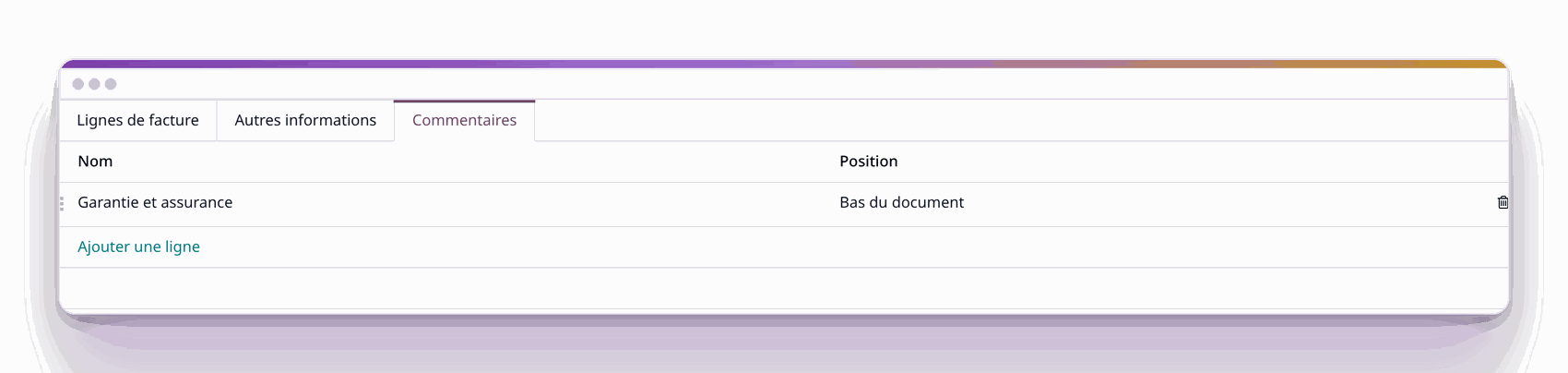
On the invoice, a single block taken up: the one that was marked
Through to the invoice

Choose what follows, leave the rest on the quotation
You decide block by block what appears on the invoice: the ten-year warranty follows, the detail of the commercial offer stays on the quotation. At invoicing, only the marked blocks are taken up, in order.
One tick box per block.
The carry-over takes place when the invoice is created, in order, and the deal title follows the same path.
Languages

Write to each customer in their language
A block is translated sentence by sentence: the translator receives text, and your formatting remains intact whatever becomes of the translation. The day the quotation becomes an invoice, every language follows: a German customer who signed a quotation in German receives an invoice in German.
Three sample quotations for three different trades

State availability, delivery and take-back
The same pack, three ways of using it. Each tab shows the online preview and the PDF of the same document.
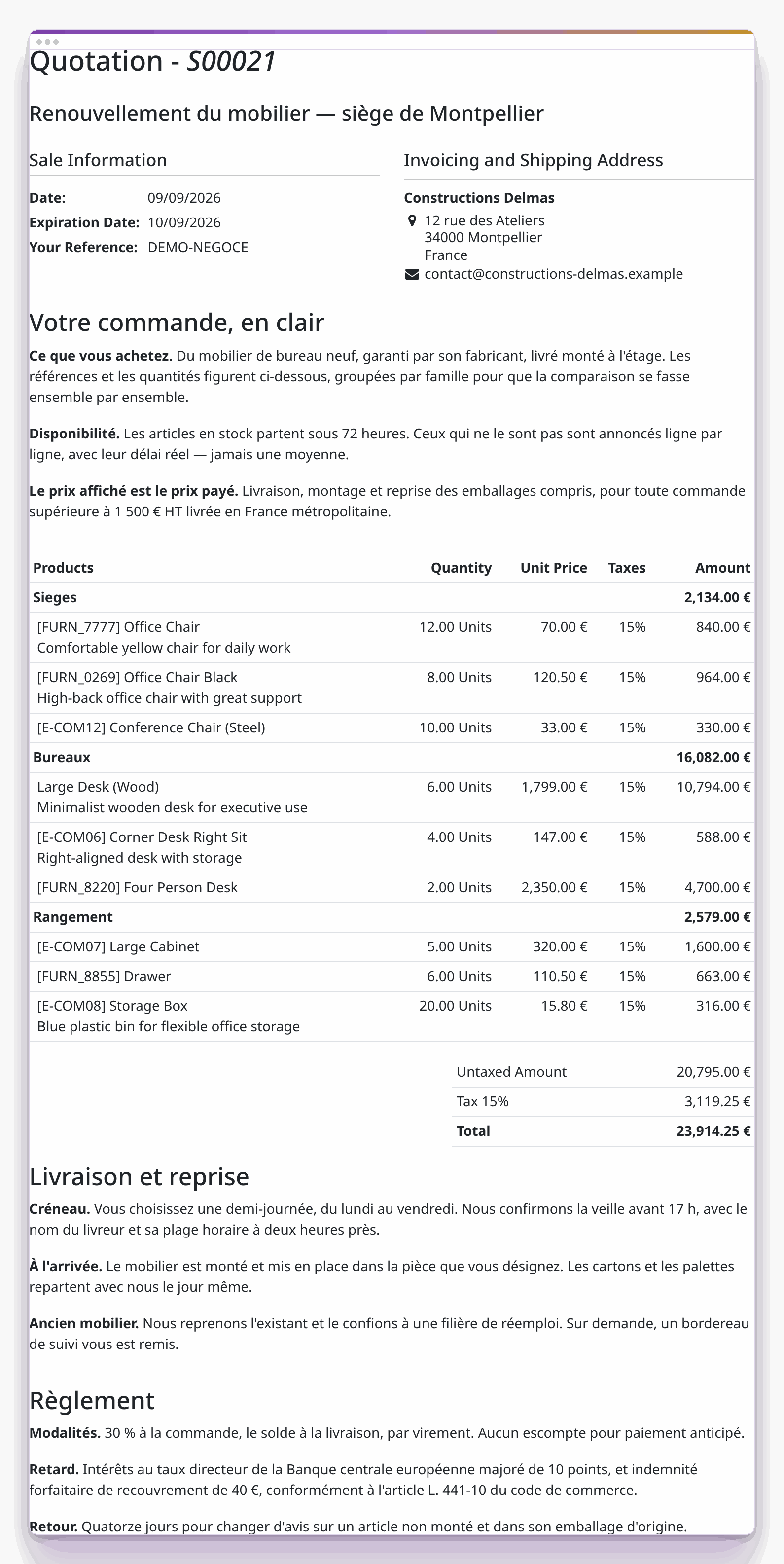
What the customer sees online
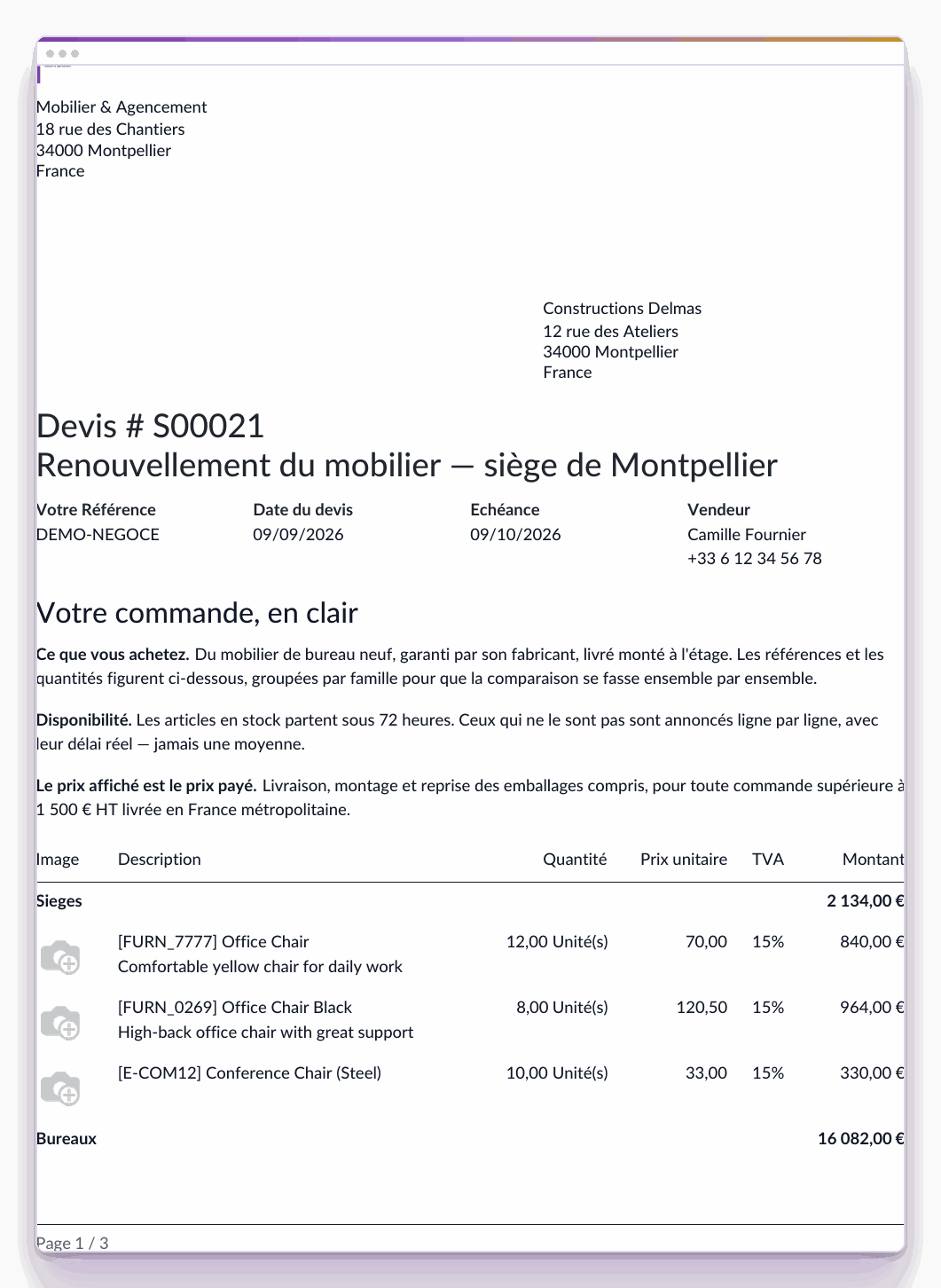
The PDF they receive
At the head: what the price covers, and the actual lead time line by line.
At the foot: the delivery slot and the take-back of the old furniture.
On the invoice: the payment terms, and those alone.

Attach the plans, the schedule and the warranties
A construction quotation is read with its documents: the layout plan weighs as much as the price in the decision.
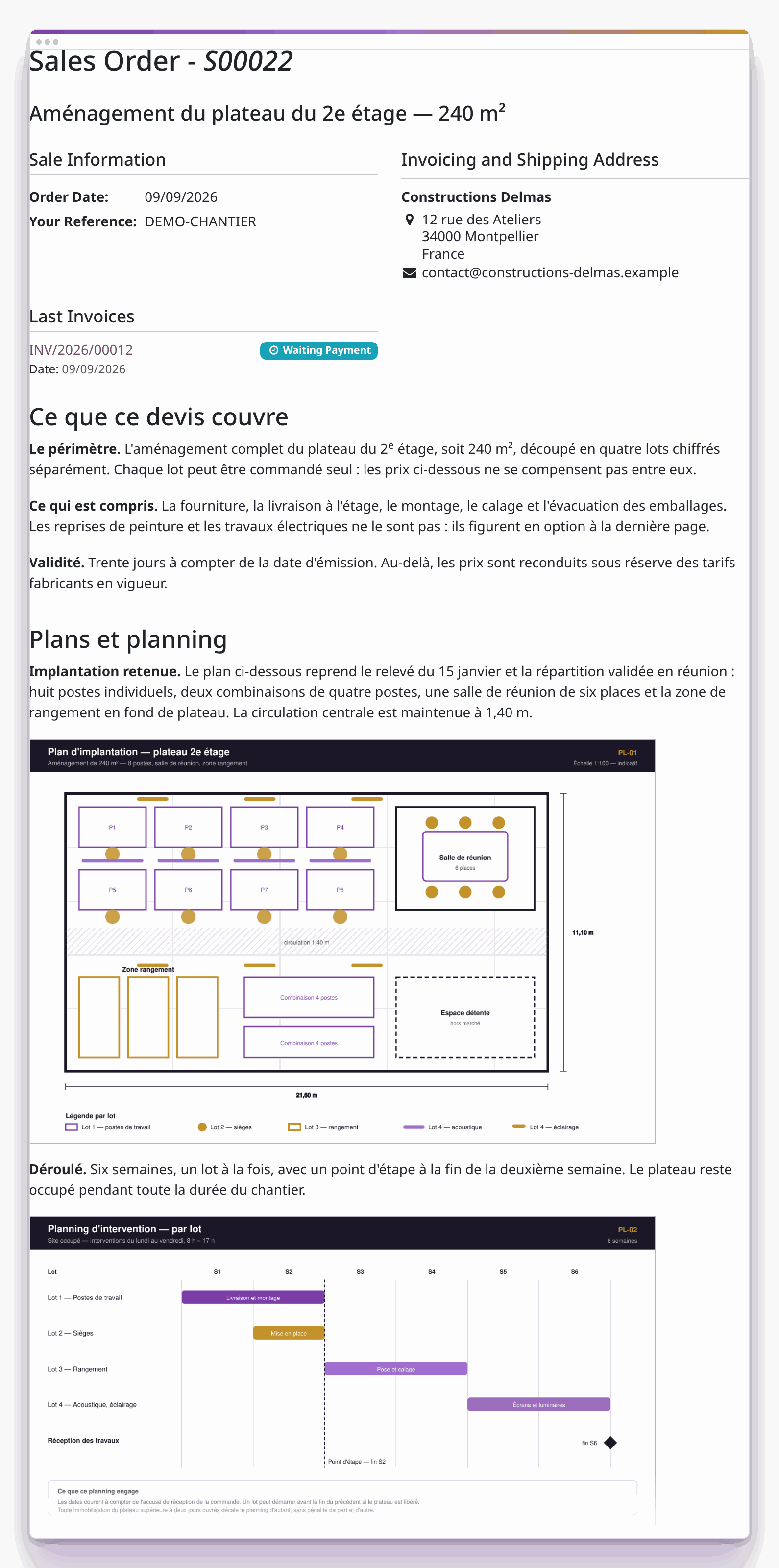
What the customer sees online
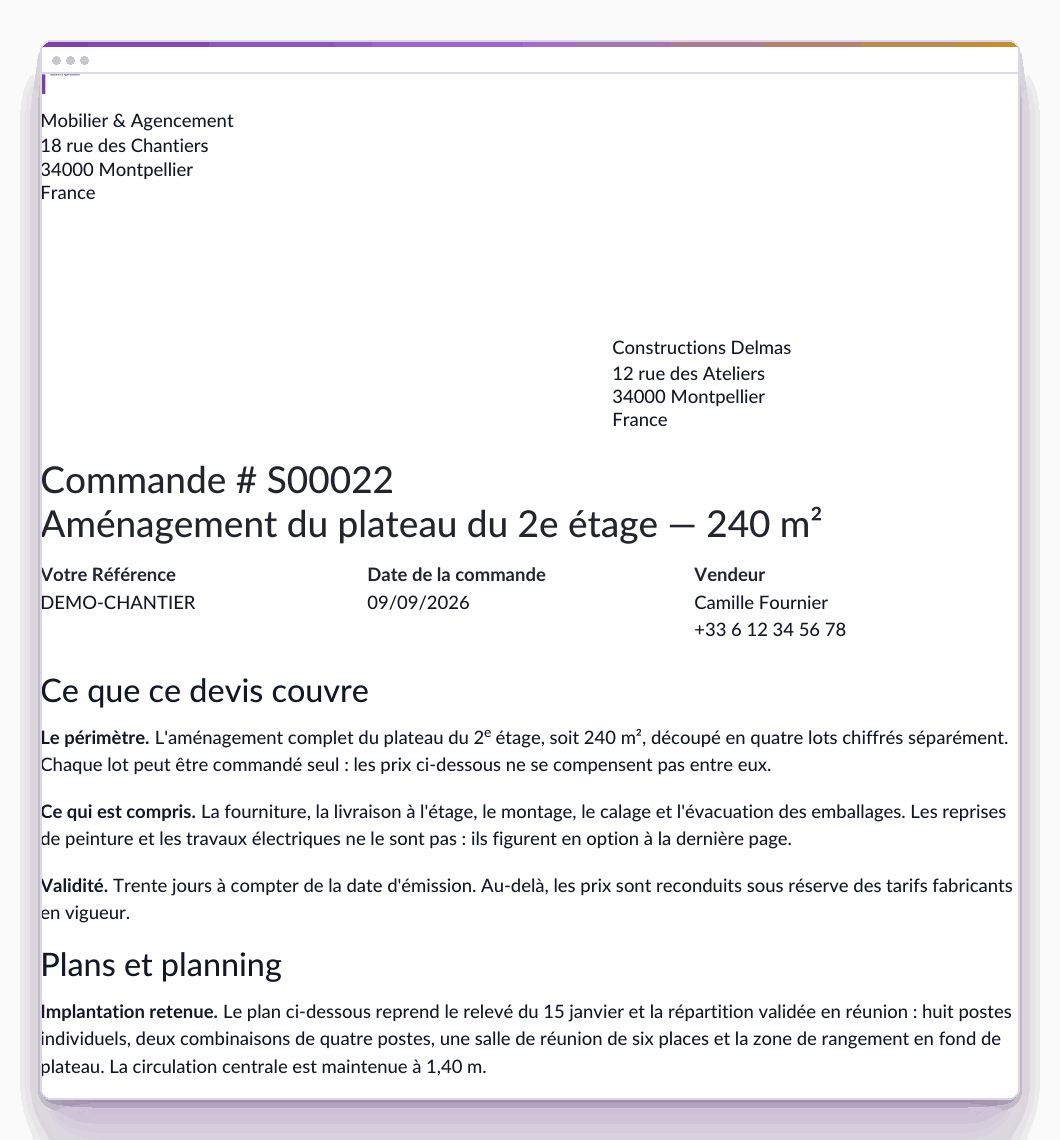
The PDF they receive
The layout plan and the schedule of the work packages, in the quotation.
The conditions for working on an occupied site, written once.
The ten-year warranty, the only clause taken up on the invoice.

Detail the service level and the termination
A subscription sells on what it includes and on its limits; the notice period is read before signing.
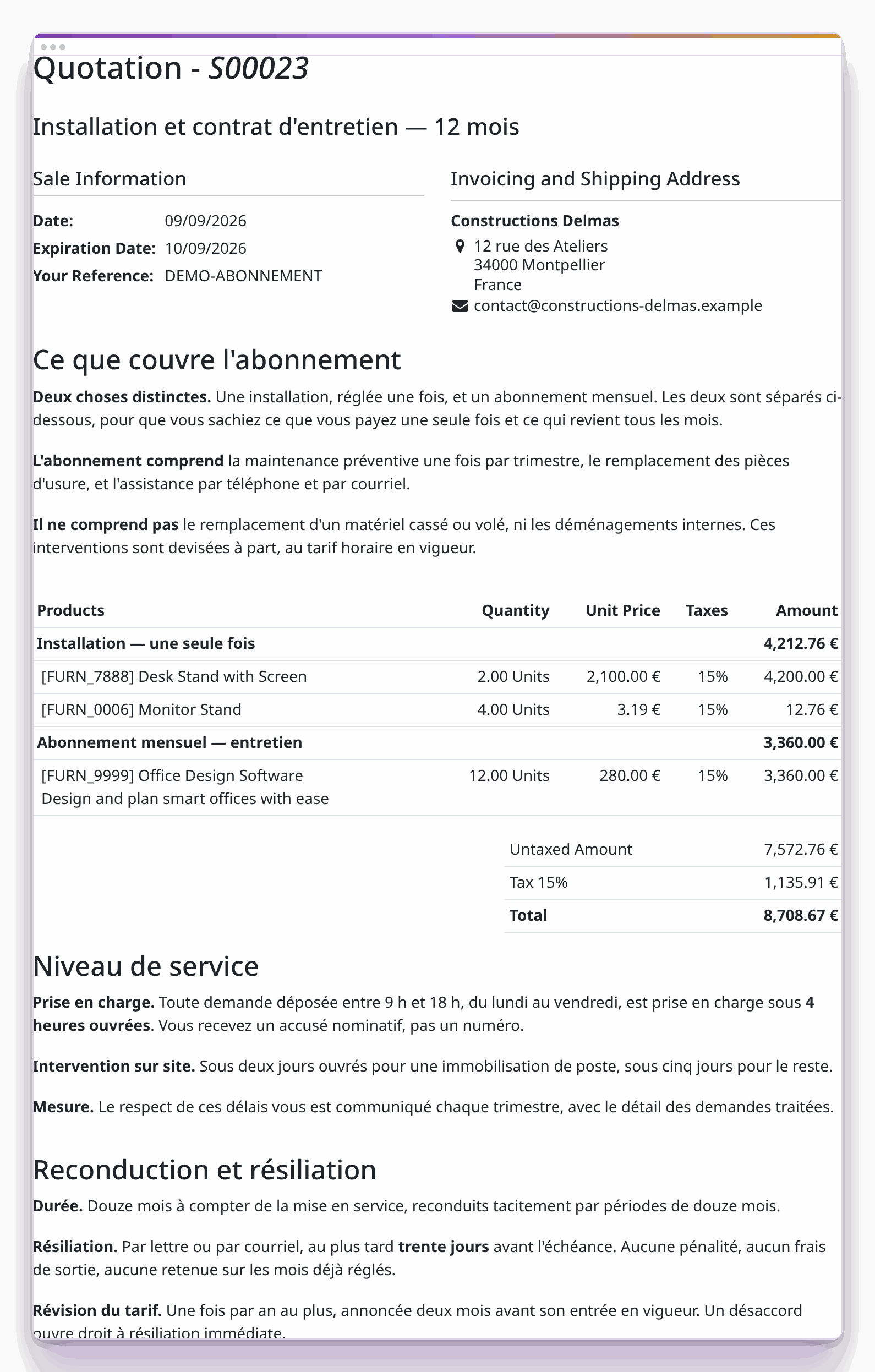
What the customer sees online
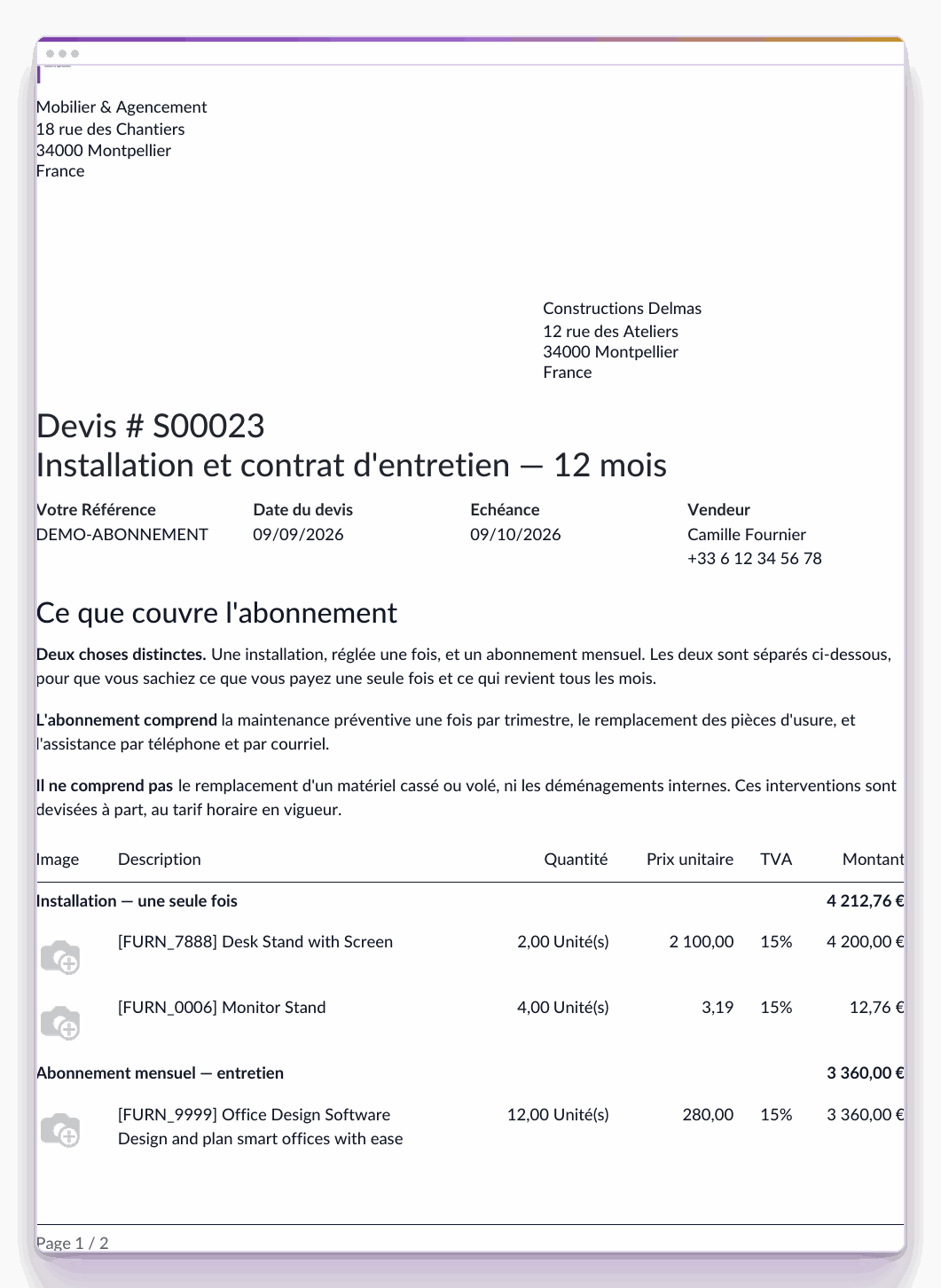
The PDF they receive
What the subscription includes, and its limits.
The service level, with its quantified lead times.
The renewal and the notice period, taken up on every invoice.
Before writing your commercial documents
General terms are defined once per entity or per quotation template, and are systematically added at the foot of the quotation and copied onto the invoices: it is a single-block text that is tedious to customise quotation by quotation.
The Commercial Documents pack gives you a standardised sales message, the customisation of each offer, which becomes unique, and removes the need to send a separate document alongside the quotation.
Yes, and by text fragments: your formatting and your images stay in place, only the sentences go out for translation. The document comes out in the customer's language, and every language follows through to the invoice.
Yes. The online preview and the PDF carry the same content. It is online that the customer reads the offer and signs it if the option has been enabled. The Commercial Documents pack was designed to fully digitise a customer's conversion journey from quotation to invoicing.
The document starts from your brand guidelines. The pack acts on the content and leaves your visual identity intact, if not enhanced.
No. The blocks, their position, their order and their carry-over onto the invoice are set from the application, by your field teams.
With a 30 day trial on an instance set up in a few minutes. If you invoice by progress, the Construction pack produces your progress statements.